Newegg · Verified 1 day ago
$58
more
↑ less
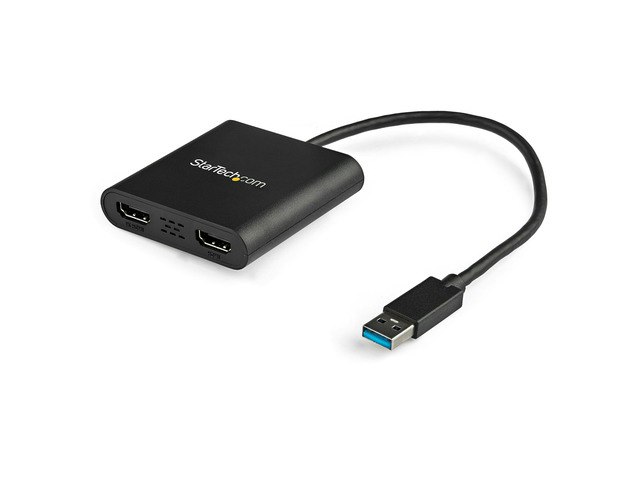
Working from one laptop with two monitors becomes simple with this adapter, since it splits a single USB 3.0 port into two independent HDMI outputs for extended or mirrored displays. It's a solid fix for anyone whose laptop lacks enough native video ports to run a dual-monitor setup. Buy Now at Newegg
Features
- 4K resolution at 30Hz
- Dual HDMI monitor output
- Supports 2-channel stereo audio
- USB 3.0 connectivity
- Model: USB32HD2
Newegg · Verified 1 day ago
$199
more
↑ less
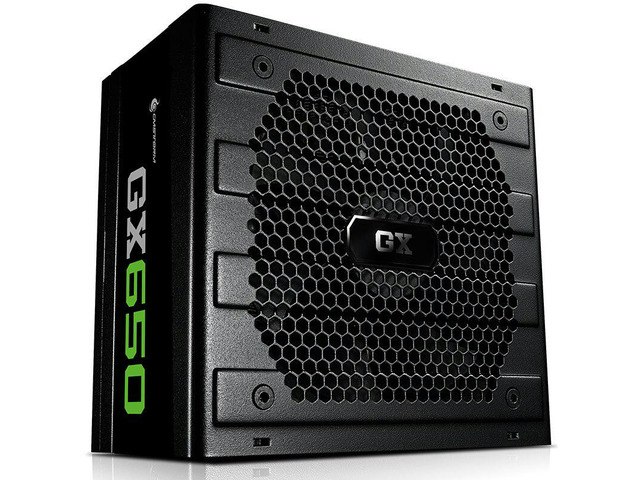
Your rig doesn't need to be fancy for this one to make sense, a mid-range build running a single graphics card is right in its wheelhouse with 650W of steady, 80 Plus Bronze-certified power. Newegg has it priced for budget-focused builders who want a reliable PSU without paying for higher-tier efficiency ratings they won't use. Buy Now at Newegg
Features
- 650W power output
- 80 Plus Bronze certified efficiency
- Silent cooling fan
- Model: RS650-ACAAB1-CN
Newegg · Verified 1 day ago
$20
more
↑ less
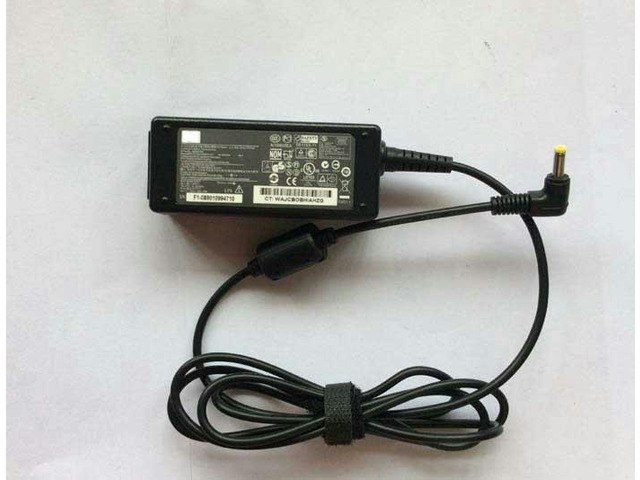
Your old charger dying doesn't mean you need a new laptop, and this adapter gets your HP running again without the hassle of tracking down an OEM replacement. Buy Now at Newegg
Features
- 19V 1.58A 30W power output
- Compatible with multiple HP laptop models
- Model: NQ211PA
Newegg · Verified 1 day ago
$170
more
↑ less
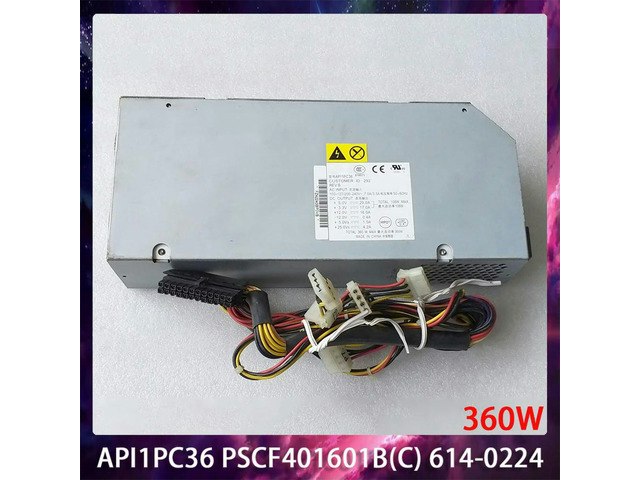
Keeping a server rack running without interruption depends on reliable power delivery, and this 360W supply suits anyone building or maintaining a server setup that needs consistent output. Newegg carries it as a straightforward replacement or backup unit for those who'd rather not gamble on off-brand power components. Buy Now at Newegg
Features
- 360W power output capacity
- Model: API1PC36
- Model: PSCF401601B(C)
- Model: 614-0224
Newegg · Verified 1 day ago
$353
more
↑ less
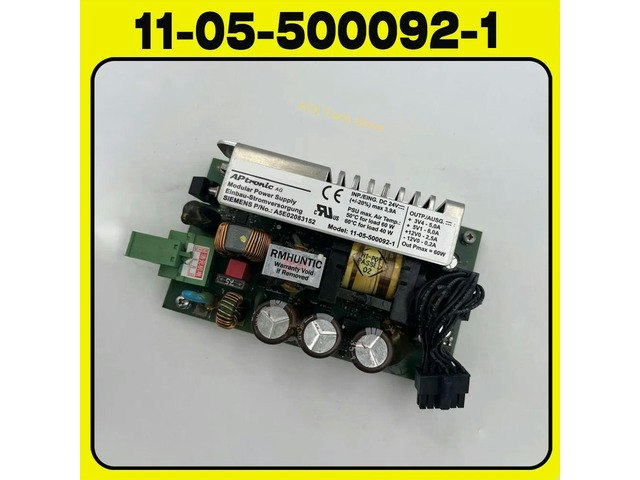
Worth a look if your equipment calls for a direct OEM replacement, since matching the exact model number here matters more than finding a generic substitute. Newegg carries this part for situations where compatibility, not price, is your main concern. Buy Now at Newegg
Features
- Model: A5E02083152
Newegg · Verified 1 day ago
$125 $150
more
↑ less
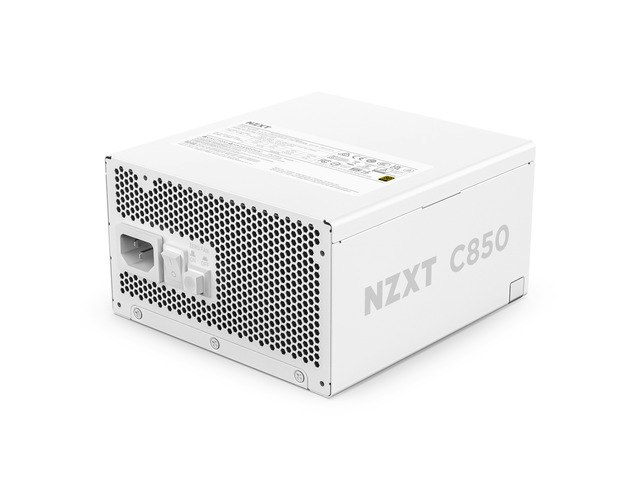
Builders putting together a mid-to-high-end gaming rig will appreciate the fully modular cables for cleaner cable management, and the 80 Plus Gold rating means decent efficiency without paying platinum prices. Newegg has it for $125, which is $25 off the $150 list price. Buy Now at Newegg
Features
- 850W power output
- 80 PLUS Gold efficiency
- Fully modular cable design
- Quiet 135mm FDB fan
- Model: PA-8G2BW-US
Newegg · Verified 1 day ago
$22
more
↑ less
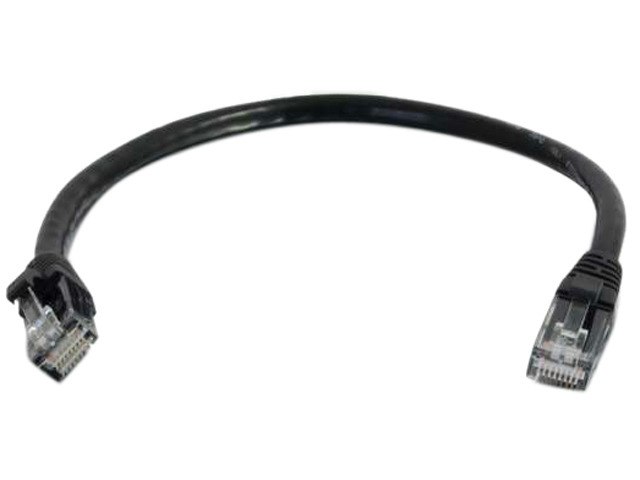
Running a hardwired connection to a router or game console in another room is where this cable earns its keep, and the snagless boot keeps it from catching on furniture or wall plates during installation. Buy Now at Newegg
Features
- Cat6 standard for high-bandwidth data transmission
- Snagless connector design prevents cable damage
- Bonded pairs maintain signal integrity and twist-spacing
- Reduced crosstalk for reliable network performance
- 20-foot length for flexible device connectivity
Newegg · Verified 1 day ago
$30
more
↑ less
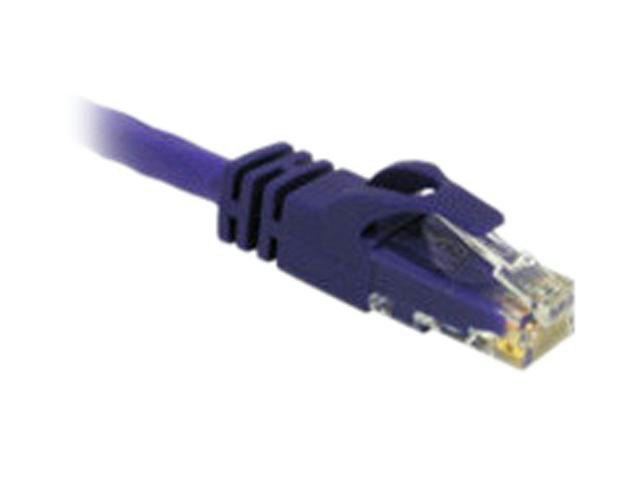
A solid pick for running a wired connection across a room or between floors, since 35 feet gives you enough slack for setups where Wi-Fi signal drops off, like a basement office or a TV mounted far from the router. The snagless boot keeps the clip from catching on cables or carpet when you're routing it through tight spaces. Buy Now at Newegg
Features
- 35-foot length for extended connectivity
- Cat6 performance up to 550 MHz
- Snagless connector design prevents cable damage
- 50 micron gold-plated RJ45 connectors
- 4-pair UTP 24 AWG stranded copper
Newegg · Verified 1 day ago
$490
more
↑ less
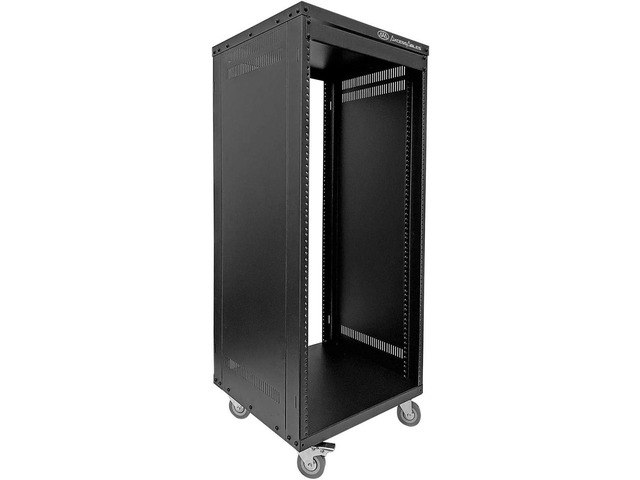
Rolling casters make this a solid pick for anyone who needs to relocate network or audio gear between rooms rather than mount it permanently, and the 22U height gives you room for a decent amount of equipment without eating up a ton of floor space. Buy Now at Newegg
Features
- 22U rack space for IT and server hardware
- 550lb heavy duty load capacity
- Removable side panels for easy equipment access
- 3-inch locking casters for mobility and stability
- Includes mounting hardware screws
Newegg · Verified 1 day ago
$19
more
↑ less
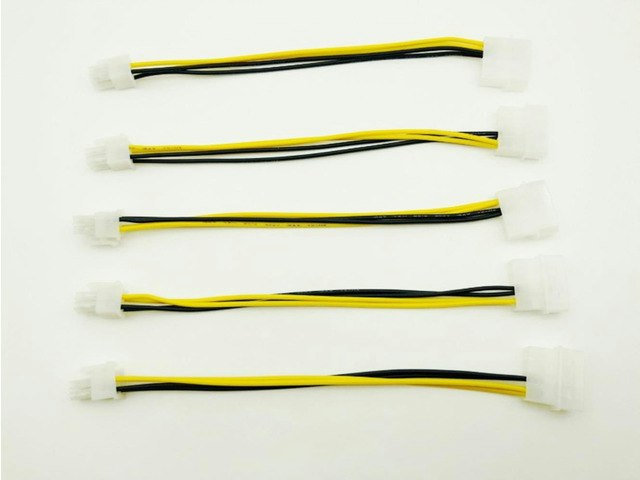
Anyone upgrading or repairing a PC's power connections will want a few of these on hand, since they let you convert a 4-pin Molex connector into a 12V 4-pin CPU power plug without having to buy a whole new cable. Having five in the pack means you won't be left short when a build or repair needs more than one. Buy Now at Newegg
Features
- P3 4-pin to P4 12V power conversion
- USB riser card support
- DVI-D and VGA dual PSU cable compatibility
- 4-pin connector interface
- SATA power cable integration
Newegg · Verified 1 day ago
$830
more
↑ less
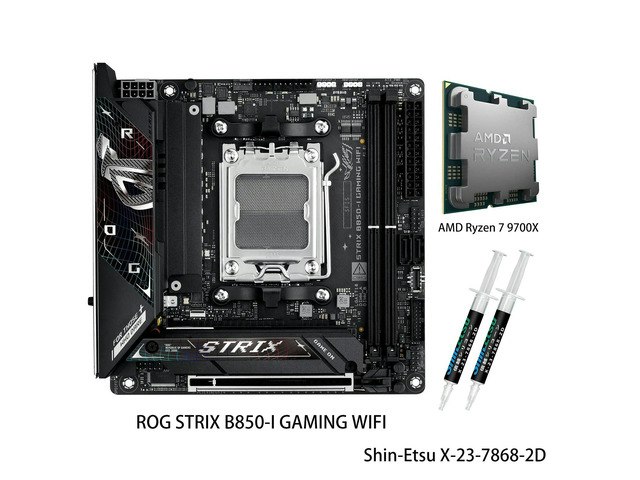
Pairing this combo saves you the guesswork of matching chipset to processor, giving you a compact mini-ITX board built for small-form-factor builds alongside an 8-core Ryzen chip with enough headroom for gaming and everyday multitasking. It suits anyone planning a smaller, high-performance rig without wanting to hunt down compatible parts separately. Buy Now at Newegg
Features
- AMD Ryzen 7 9700X CPU and B850-I motherboard combo
- DDR5 memory support for high-speed performance
- PCIe 5.0 x16 slot for next-gen graphics
- WiFi 7 and 2.5G LAN connectivity
- ROG SupremeFX 7.1 surround sound audio
Newegg · Verified 1 day ago
$130
more
↑ less
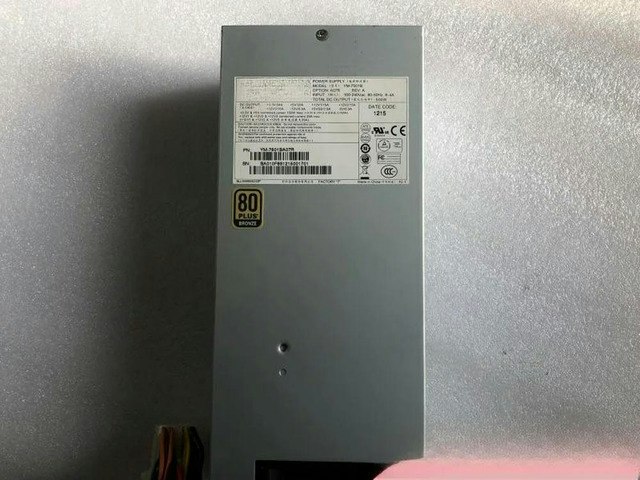
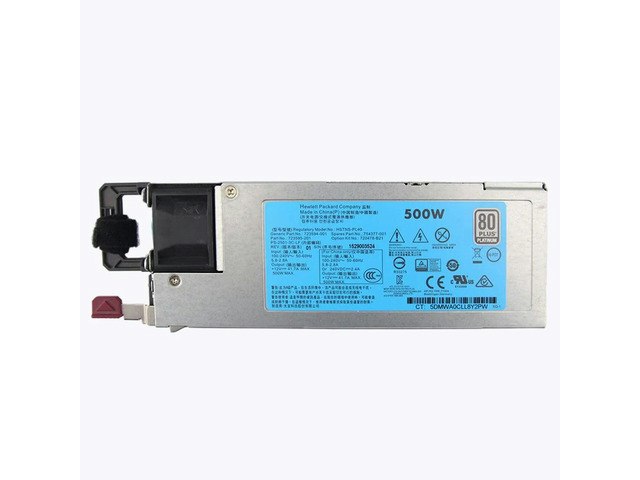
Server builders replacing a failed power supply or setting up a budget rack unit will find the 2U 500W form factor useful, since it's built to fit standard server chassis without modification. Newegg carries it as a straightforward, no-frills replacement option rather than a premium pick. Buy Now at Newegg
Features
- 2U rackmount server form factor
- 500W power supply capacity
- Model: YM-7501B
Newegg · Verified 1 day ago
$380
more
↑ less
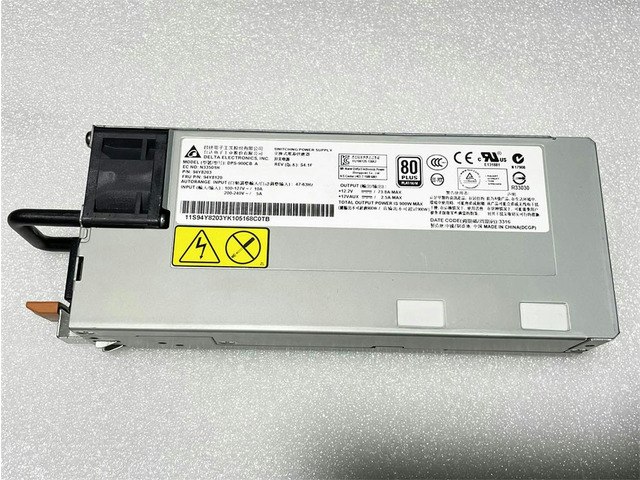
Anyone maintaining HP G9 servers will want a reliable replacement or backup power supply on hand, since downtime from a failed PSU can take an entire server offline. This one matches the original specs for a straightforward swap without compatibility guesswork. Buy Now at Newegg
Features
- 500W power output
- Model: 723595-101
- H-P G9 Server compatible
- DPS-500AB-13 series
- 720478-B21 part number
Newegg · Verified 1 day ago
$97
more
↑ less
This power supply suits anyone managing IBM server infrastructure who needs a reliable replacement or backup unit without going through costly OEM channels. It's a straightforward option for IT teams keeping legacy IBM systems running without downtime. Buy Now at Newegg
Features
- Compatible with X3650M4, M5, X3850X6, X3950X6 servers
- Provides reliable power supply
- Replaces 94Y8120, 94Y8118, 94Y8087 units
- Model: 94Y8120
Newegg · Verified 1 day ago
$13
more
↑ less
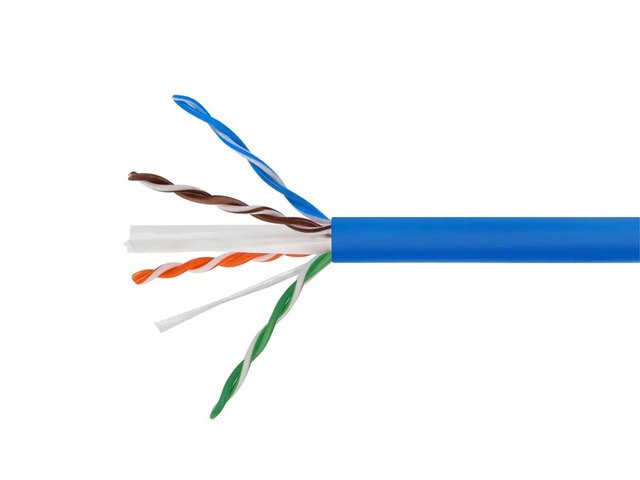
Running a hardline connection across a room or between floors is easier with the flexible boot design, which keeps the connector from snapping off at odd angles where cables tend to get pinched or stepped on. At 50 feet, this suits anyone setting up a gaming console, PC, or streaming box far from the router without relying on Wi-Fi. Buy Now at Newegg
Features
- Cat5e Ethernet networking speed
- 50ft length for flexible connectivity
- 24AWG UTP high-quality construction
- Durable FLEXboot connector design
- Lifetime product warranty
Newegg · Verified 1 day ago
$2,499.95
more
↑ less
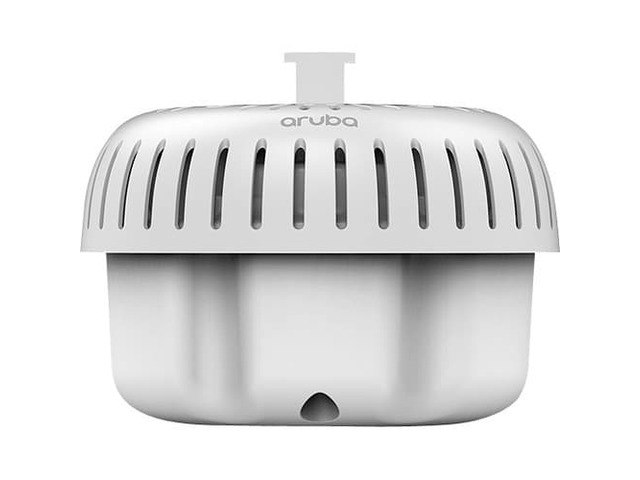
Weatherproofing makes this the one to grab for coverage outside standard walls, like courtyards, parking lots, or warehouse loading areas where regular indoor access points won't hold up. Newegg has it listed if you need enterprise-grade outdoor networking without piecing together separate enclosures. Buy Now at Newegg
Features
- Wi-Fi 6 802.11ax dual radio connectivity
- Integrated directional antenna for outdoor coverage
- TAA compliant for government and enterprise use
- Model: AP-577
Newegg · Verified 1 day ago
$106
more
↑ less
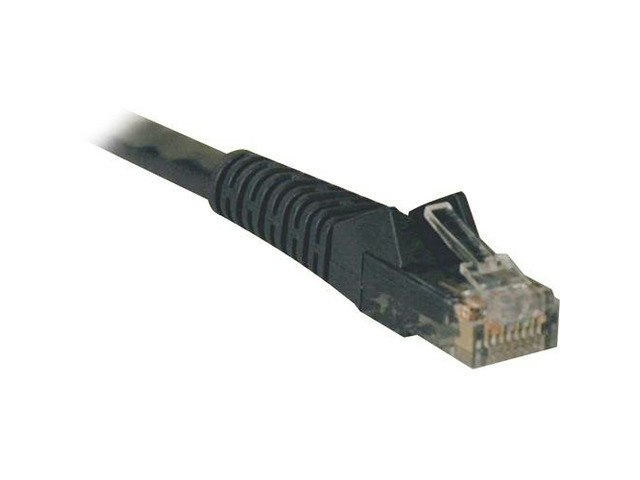
Networking closets and multi-port setups are where this one earns its keep, especially if you're tired of cables either too short to reach or so long they turn into a tangled mess behind your rack. At 1 foot, it's built for tight connections between adjacent devices, not for running across a room. Buy Now at Newegg
Features
- Cat6 cable supports 1 Gbps high-speed networking
- Gold-plated contacts for accurate signal transfer
- Snagless connector design prevents locking tab breakage
- Molded integral strain relief ensures long life
- Model: N201-001-BK50BP
Newegg · Verified 1 day ago
$15
more
↑ less
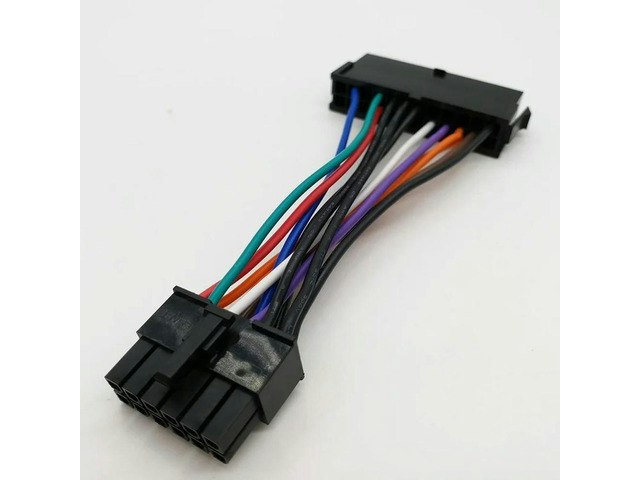
Worth grabbing if you're pairing an older power supply with a newer 12-pin GPU or motherboard, since it saves you from buying a whole new PSU just for the connector mismatch. Buy Now at Newegg
Features
- 24-pin to 12-pin ATX power adapter cable
Newegg · Verified 1 day ago
$2,530.99
more
↑ less
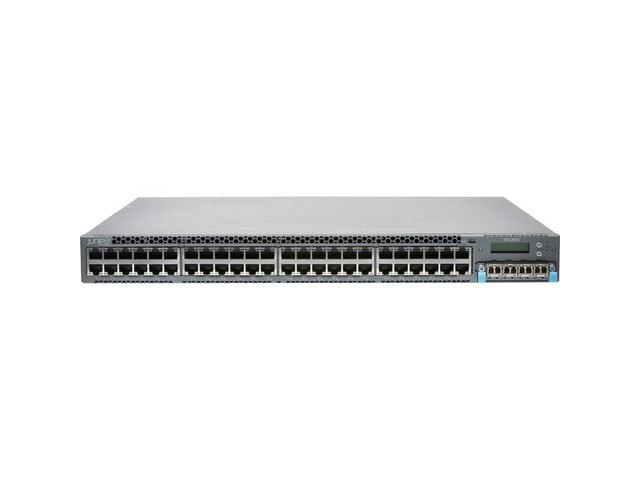
Worth a look for network admins needing enterprise-grade switching without buying new, since the EX4300-48T handles 48 ports of managed Gigabit Ethernet for small business or campus networks. Newegg carries it in refurbished or open-box condition, so you can outfit a wiring closet without paying full price for new Juniper hardware. Buy Now at Newegg
Features
- 48 Gigabit Ethernet ports
- 4x 40 Gigabit Ethernet uplinks
- Layer 3 managed switching
- 1U rackmount form factor
- Model: EX4300-48T-DC
Newegg · Verified 1 day ago
$10,116
more
↑ less
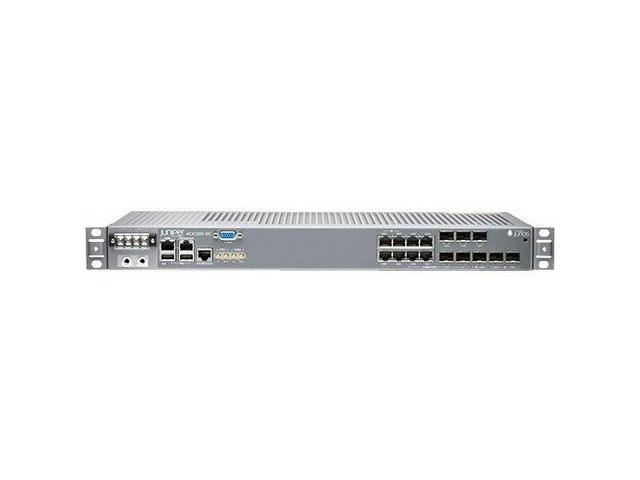
Network admins managing mid-sized service provider or enterprise edge deployments will find this router's combination of routing, switching, and MPLS capabilities useful for consolidating hardware without sacrificing performance. Newegg's listing is worth checking if you're building out infrastructure and want carrier-grade features without going through a direct enterprise sales channel. Buy Now at Newegg
Features
- 10/100/1000Base-T Ethernet connectivity
- 1000Base-X fiber support
- 10GBase-X high-speed performance
- Model: ACX2200
Computers: The Basics
Shopping for computers doesn’t have to drain your savings — if you know how to find the best prices. Our team of experts review the sales and publish the best computer deals so you don’t have to work half as hard.
How to Save on Streaming Services
Computers: The Basics
Shopping for computers doesn’t have to drain your savings — if you know how to find the best prices. Our team of experts review the sales and publish the best computer deals so you don’t have to work half as hard.
Basic Computer Terminology
You don’t have to be a tech wiz to buy your next computer. Make note of these common terms to help you when you’re shopping computer sales!
- Operating System (OS): This is the system that controls how your computer performs basic functions. The most common operating systems you’ll see right now are Windows 10 and Mac OS X. They perform comparably, so picking one relies on personal preference.
- Random-access memory (RAM): The short-term memory of your computer. Your RAM controls how quickly and efficiently your computer is able to switch between tasks. The higher the RAM, generally, the better the performance.
- Processor (CPU): The powerhouse or “brain” of the computer, your processor handles your computer’s basic instructions, such as using your mouse and keyboard, or running applications. The two most popular CPU manufacturers are AMD and Intel. You can read about which processor is right for you in this article from Digital Trends.
- Storage: There are two types of physical computer storage, hard drives (HD) and solid state drives (SSD). SSD storage is more common these days because they are more stable and faster. While it’s ideal to aim for greater storage space, a bigger drive will cost more money. Determine your storage needs based on how you plan to use your computer. Abt recommends starting with at least 500 GB of storage space.
Additionally, some providers, like Verizon, offer streaming perks with select plans, giving you months of access to services like Disney+, Hulu, and ESPN+ at no extra cost. Annual payment options can also help you save, as they often come with a discount equivalent to getting one or two months free. For those on a budget, ad-supported plans provide the same great content at a fraction of the cost. Visit our Disney+ Subscription Cost page to explore pricing and options.
What Deals Are Available on Disney+ Bundles?
Disney+ bundle deals provide significant savings when combining services. For example, the Verizon Disney Bundle offered six months of Disney+, Hulu, and ESPN+ for free with select Unlimited plans. Bundles like the Disney+ Premium annual plan ($159.99) save you the cost of two months compared to monthly payments. Bundle options like the ad-supported Duo Basic plan (Disney+ and Hulu) start at $10.99 per month, while ad-free Duo Premium is $19.99. Learn more on the Disney+ Bundle Deals page.
You can also explore seasonal and promotional deals during events like Black Friday to maximize your savings. Check out the Best Disney+ Deals page for current offers.
How Much Is a Disney+ Subscription?
Disney+ subscriptions currently start at $8 per month for the ad-supported Basic plan, while the Premium ad-free plan is priced at $13.99 per month or $139.99 annually. Prices will increase beginning October 17, 2024, with the Premium plan rising to $15.99 per month or $159.99 annually. Explore all pricing options on the Disney+ Subscription Costs page.
Best Disney+ Deals
Disney+ offers value-packed streaming bundles, such as the Disney+, Hulu, and Max bundle starting at $17 per month with ads or $30 per month ad-free. Disney+ also supports paid sharing, allowing you to add one extra member for $6.99 per month with Basic or $9.99 per month with Premium. Prices are increasing on October 17, 2024, so finding deals like these is more important than ever. For more information, visit our Best Disney+ Deals page.
Annual Disney+ Subscription Costs
Disney+ Premium annual plans cost $139.99 but will rise to $159.99 on October 17, 2024. Opting for the annual plan saves you the equivalent of two months compared to monthly billing. Note that annual payments are only available for standalone Disney+ Premium plans and not for bundles. Customize your subscription to include ad-supported or ad-free options with Hulu, ESPN+, or Max. See all pricing details on the Disney+ Subscription Cost page.
Basic Computer Terminology
You don’t have to be a tech wiz to buy your next computer. Make note of these common terms to help you when you’re shopping computer sales!
- Operating System (OS): This is the system that controls how your computer performs basic functions. The most common operating systems you’ll see right now are Windows 10 and Mac OS X. They perform comparably, so picking one relies on personal preference.
- Random-access memory (RAM): The short-term memory of your computer. Your RAM controls how quickly and efficiently your computer is able to switch between tasks. The higher the RAM, generally, the better the performance.
- Processor (CPU) : The powerhouse or “brain” of the computer, your processor handles your computer’s basic instructions, such as using your mouse and keyboard, or running applications. The two most popular CPU manufacturers are AMD and Intel. You can read about which processor is right for you in this article from Digital Trends.
- Storage: There are two types of physical computer storage, hard drives (HD) and solid state drives (SSD). SSD storage is more common these days because they are more stable and faster. While it’s ideal to aim for greater storage space, a bigger drive will cost more money. Determine your storage needs based on how you plan to use your computer. Abt recommends starting with at least 500 GB of storage space.
Basic Software for Your PC
When you start using your new computer, you’ll want to install some basic software to get going. Most pre-built computers come with a suite of software pre-installed with the OS.
Productivity Tools
Whether you opt for a package like Microsoft Office or iWork, opt for freeware like Open Office, or choose an online software pack like G Suite, it’s always a good idea to install a productivity software to help you with tasks like making spreadsheets, word processing, and viewing PDFs.
Internet Browser
Microsoft Edge and Safari are the standard browsers that come with a new computer, but many shoppers rely on browsers like Google Chrome or Mozilla Firefox.
Cloud Storage
Not only does cloud storage give you more space than the limited physical storage on your PC, but it also gives you access to your files anywhere. Many companies like Google or Dropbox offer a limited amount of free cloud storage.
Antivirus Software
Antivirus tools do more than simply keep viruses at bay; they also protect against malware, phishing, adware, spyware, and more. Windows 10 comes with Microsoft Security Essentials as a default, and security options are built into Mac OS X (as opposed to a standalone program). That said, antivirus suites like Norton, McAfee, and Bitdefender may offer you more protection.
Media Player
Many laptops and desktops no longer include a physical media drive. If you plan on watching any videos locally (not streamed online), it’s useful to have a media player. Typically, this software is built in, but check out this list for some info on the best media players for Windows 10 and this one for Mac.
Music Player
Not to be confused with a media player, a good music application is worth installing on your computer. Spotify, iTunes, and Pandora are some common favorites that give you access to a practically limitless selection. The desktop versions make it easier to browse and build playlists.
Computer Deal Subcategories
DealNews offers the best deals on computers and computing accessories. You can browse our deals in different categories including, but not limited to:
Whether you’re looking for a new work laptop, or want to find a quality gaming system, check out our selection of the best laptop deals here.
Did you know you should replace your computer every 4 to 5 years to keep up with the latest performance and security updates? Check out the best computer deals for your next desktop here.
Did you know that DealNews first launched as a deal website for Apple Macintosh products? While we’ve grown significantly since then, we still know how to find the best Apple computer deals!
Maybe you’re in the market for a larger streaming device for your kids, or maybe you’d like a device to serve as your e-reader (with a few extra perks). Whatever you’re searching for, check out the best tablet and iPad deals here.
- Peripherals
Routers , monitors , input devices , and more! These devices make using your computer more comfortable and practical. Be sure you search our site to save big!
When shopping computer sales, check out DealNews before going anywhere else, so you know you’ll always find the best deals!
Frequently Asked Questions
Should I purchase a laptop or desktop?
It’s important to review your needs before buying a laptop or desktop computer.
- What’s your budget? Because they’re bigger and more modular, desktop computers tend to outperform laptops. A desktop’s customizability means your budget can go a lot further. However, laptops have other advantages over desktops.
- Do you need portability? High-end laptops are generally more expensive, but a laptop will always win the portability debate.
- How much power do you need? Desktops have more room to work with, so you can add more RAM, more storage, a bigger graphics card, and other performance improvements. But if you don’t need all that, then a mid-tier laptop may be the cheaper choice.
- Are you a gamer? Laptops that are built for gaming are among the most expensive on the market. That said, if you’re not comfortable selecting individual pieces to build a gaming desktop, you may be willing to pay a premium to get that performance.
- Don’t forget the repairs. If you’re handy, you can often repair or replace parts in a desktop computer with the help of online guides. Most laptops require specialized tools and skills to repair, so desktop fixes tend to be cheaper.
Overall, desktop computers have a lot of advantages, but the lack of portability can be a deal breaker. No matter what you decide, be sure to check out specs and buying guides from the DealNews Blog and other reputable sources like CNET or PCMag. Then shop DealNews for the best computer deals!
How do I get my external hard drive to show up?
Once you’ve ensured that your external drive is plugged in and powered on, check out these steps from PCMag:
- Try a different USB port.
- Try a different PC.
- Update your drivers.
- Format the drive.
What is a VPN?
VPN stands for “virtual private network.” A VPN protects your internet usage by routing your internet connection through a private server. Using a VPN keeps your online browsing more private and also grants you access to websites and content that may not be available in your country.
For more information about VPNs, visit our NordVPN Free Trial Guide and our NordVPN Subscription Cost Page.
How can I boost my WiFi signal?
When your internet connection seems impossibly slow, the cause isn’t your provider, but your WiFi signal strength. Check out these options to boost your WiFi signal:
- Update your router firmware. Each router is different, but you can typically use the steps found here to run updates.
- Place your router in the most optimal space. You want to place your wireless router away from walls or obstructions. If possible, put it in the most central place in your home.
- Pick a different frequency. If you have a dual-band router, try using the 5GHz band. This band offers higher speeds and may get an additional boost if fewer devices are connected to it.
- Change the channel. While most routers will automatically choose the channel with the least congestion, some cheaper routers may require you to manually update it.
- Upgrade your router. How old is your current router? If it's a previous-generation 802.11b model, upgrading could improve your wireless signal. If you already have a newer 802.11n or Wi-Fi 6 router, you're in good shape.
- Replace the antenna. You may boost your signal by adding or replacing an external antenna. PCMag recommends purchasing one marked “high-gain” and opting for a directional antenna rather than an omnidirectional one.
- Add a wireless range extender. If you only want to boost coverage in one or two rooms, a WiFi extender can help you eliminate dead spots. Check out this guide from the DealNews Blog.
Switch to a mesh WiFi system. Wireless mesh networking is becoming more popular because it can provide more complete coverage throughout the home. Mesh systems replace your router and work seamlessly to eliminate coverage gaps.
By: Kristen Harris, Manager
A Georgia girl with three years of experience in IP Law and grounded in understanding marketing and consumer motives. When she's not working with the fabulous staff of DealNews, you can find her whining at rowing practice and browsing the Hot Deals on the site.
Want to know the moment we post a great deal on Computers?
Create an Alert