Newegg · Verified 1 day ago
$74
more
↑ less
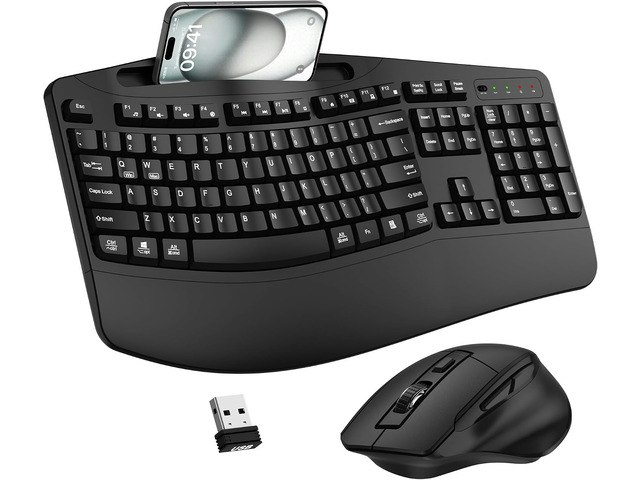
Long typing sessions get easier on your wrists with this combo's ergonomic layout, making it a solid pick for anyone who spends most of the day at a desk. Newegg has it priced well for the split-key design, which usually costs more elsewhere. Buy Now at Newegg
Features
- 2.4G wireless keyboard and mouse combo
- Ergonomic wave keys with integrated wrist rest
- Adjustable 3-level DPI wireless mouse
- Built-in smartphone holder
- Compatible with Windows and Mac systems
Newegg · Verified 1 day ago
$46
more
↑ less
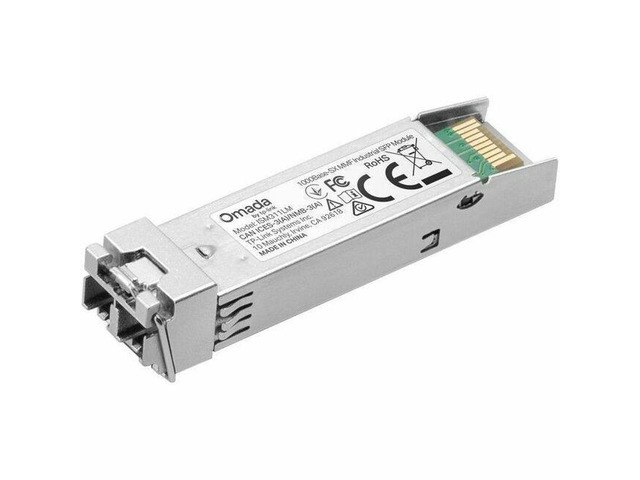
Good for extending network runs over fiber in rugged or outdoor setups where temperature swings and vibration would wear down standard SFP modules, so it's worth considering for industrial or warehouse network installations. Buy Now at Newegg
Features
- 1000Base-SX Gigabit Ethernet speed
- Optical fiber 50/125µm and 62.5/125µm support
- LC/UPC interface connectivity
- 850nm wavelength for multi-mode fiber
- Compatible with TP-Link Omada networking hardware
Newegg · Verified 1 day ago
$664
more
↑ less
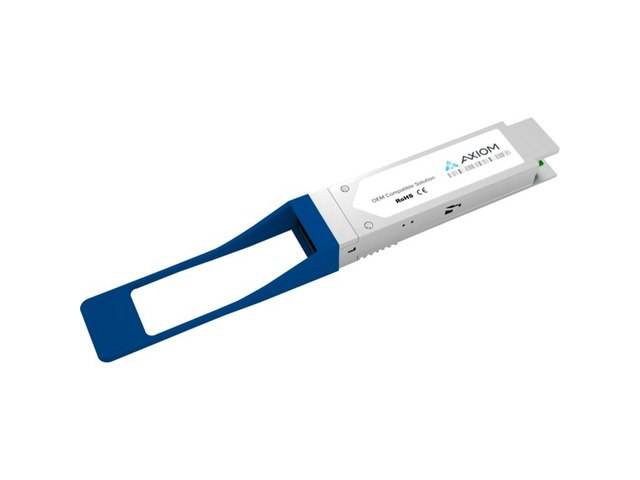
Worth a look if you're building out a Dell network setup and need a reliable 100GBASE-ESR4 QSFP28 transceiver without paying OEM prices for the same functionality. Newegg carries it as a direct-fit option, so you won't run into compatibility headaches on Dell hardware. Buy Now at Newegg
Features
- 100Gbps high-speed data transfer
- QSFP28 form factor compatibility
- Optical fiber networking support
- Dell system compatibility
- Model: 407-BBYO-AX
Newegg · Verified 1 day ago
$195
more
↑ less
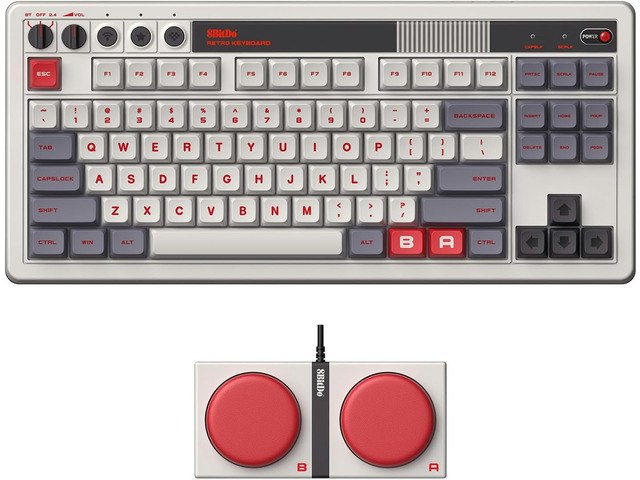
Gamers and collectors who grew up on consoles will appreciate the clicky mechanical switches and NES or SNES-inspired design, which doubles as a functional desk piece. Newegg has it at a price that makes it an easy pickup for anyone wanting a keyboard with actual personality. Buy Now at Newegg
Features
- Bluetooth, 2.4G, USB-C triple-mode wireless connectivity
- Hot swappable switches for easy customization
- 87-key mechanical keyboard layout
- Dual super programmable buttons for Windows and Android
- Model: 8BitDo Retro Mechanical Keyboard N Edition
Newegg · Verified 1 day ago
$25
more
↑ less
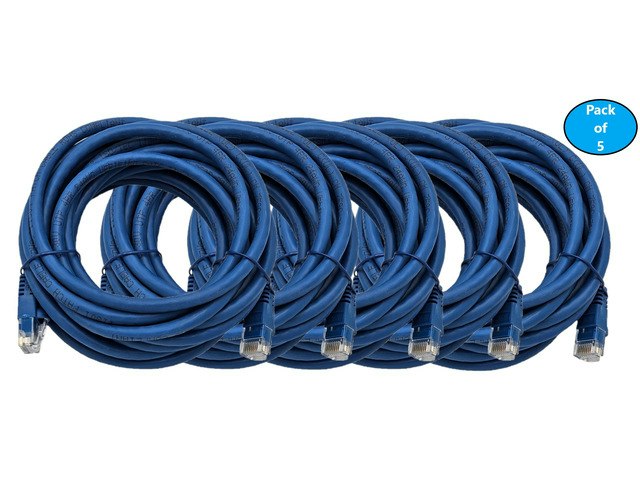
Running cable to multiple rooms or setting up a small office network means you'll burn through connectors fast, and having five 14-foot lengths on hand saves you from piecing together mismatched cables later. Buy Now at Newegg
Features
- Cat 6 networking standards
- 14-foot cable length
- Unshielded twisted pair design
- Blue cable color
- Five-pack bundle
Newegg · Verified 1 day ago
$15
more
↑ less
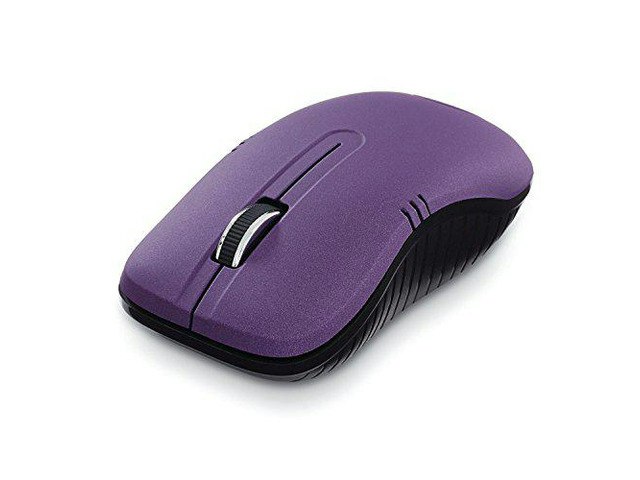
Anyone tired of untangling cords at their desk will appreciate this one, since it pairs easily and fits well in a bag for travel between home and office. Buy Now at Newegg
Features
- 1200 DPI optical tracking
- Ambidextrous design for both hands
- Plug-and-play USB nano receiver
- Compatible with Windows and Mac OS
- Model: 99781
Newegg · Verified 1 day ago
$172
more
↑ less
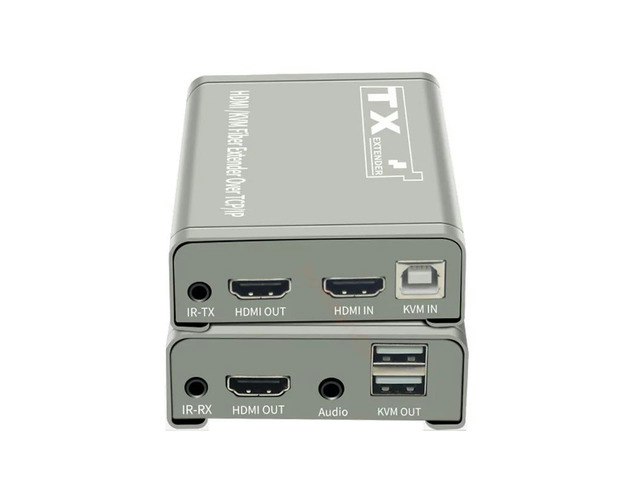
Running two monitors and peripherals from a computer that's rooms away becomes practical with this setup, since it sends HDMI, USB, and KVM signals over your existing network instead of requiring long cable runs. It suits server rooms, control stations, or any setup where the PC needs to stay out of sight but still be controlled directly. Buy Now at Newegg
Features
- 1080p resolution
- 250M transmission over single Cat6 cable
- KVM functionality for mouse and keyboard control
- HDMI extension over IP

Newegg · Verified 1 day ago
$541
more
↑ less
Your gear suits anyone managing legacy serial equipment that needs to talk over a network, letting you connect up to four RS-232/422/485 devices without replacing the hardware itself. It's a practical fix for industrial or IT setups where swapping out old machinery isn't an option but modern connectivity is still a requirement. Buy Now at Newegg
Features
- 4 RJ-45 serial device ports
- 230 Kbps data transfer rate
- Browser-based configuration via HTTP
- Supports Telnet and SNMP management
- Model: 70001807
Newegg · Verified 1 day ago
$9
more
↑ less
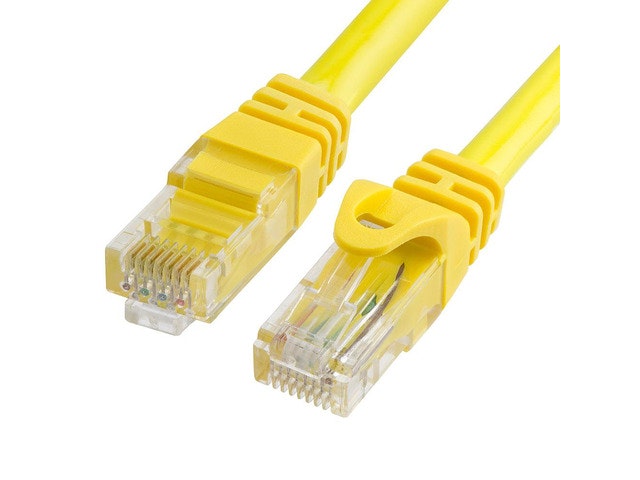
Good to have on hand for setting up a home office or gaming station where a stable wired connection beats relying on Wi-Fi, and the Cat6 rating means it'll keep up with faster internet speeds down the road. Newegg's pricing makes it an easy pickup without overthinking cable specs. Buy Now at Newegg
Features
- 10Gbps high-speed data transfer rate
- 550MHz bandwidth for high-performance networking
- Gold-plated RJ45 connectors for stable connectivity
- Universal compatibility with Cat6, Cat5e, and Cat5 standards
- Durable 5-foot length for flexible cable management
Newegg · Verified 1 day ago
$36
more
↑ less
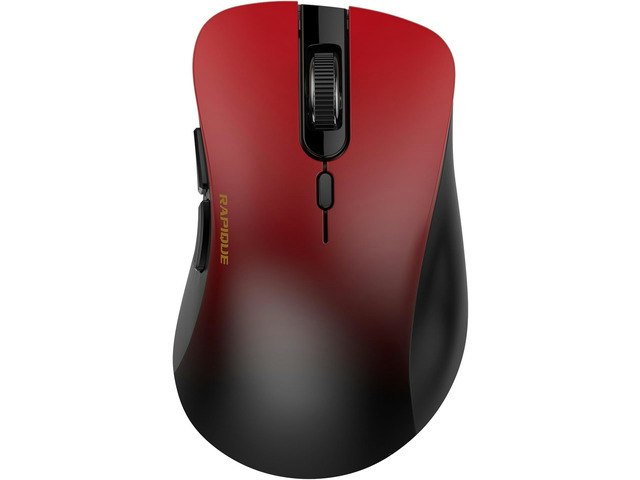
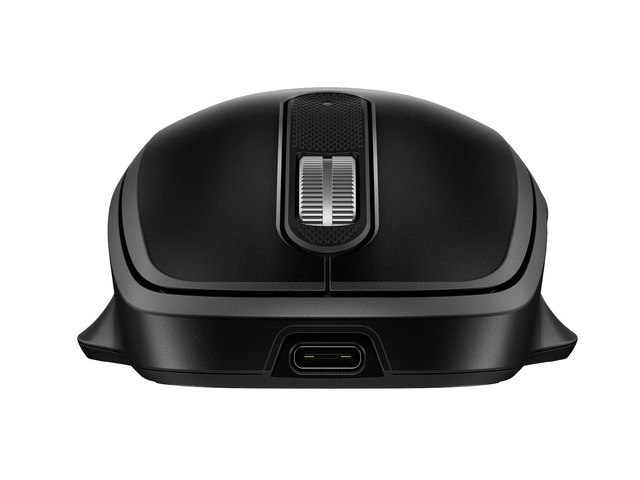
Anyone switching between a laptop and desktop setup can toggle this mouse between Bluetooth and a 2.4GHz USB receiver without re-pairing each time, which saves you from juggling multiple mice. It suits people who want one device that works across home and office machines without fuss. Buy Now at Newegg
Features
- Dual Bluetooth and 2.4GHz USB wireless connectivity
- Multi-device pairing for laptop, computer, and tablet
- Ergonomic comfortable grip design
- Quiet click silent buttons
- Low power energy efficient operation
Newegg · Verified 1 day ago
$104
more
↑ less
Sets up quickly without cables cluttering your desk, making it a solid fit for a home office or shared workspace where you just need reliable basics. Newegg has it at a price that works if you're outfitting multiple computers without spending much per station. Buy Now at Newegg
Features
- Multi-device wireless connectivity
- Rechargeable battery power
- Integrated keyboard and mouse combo
- Model: 9T5B0UT#ABA
Newegg · Verified 1 day ago
$355
more
↑ less
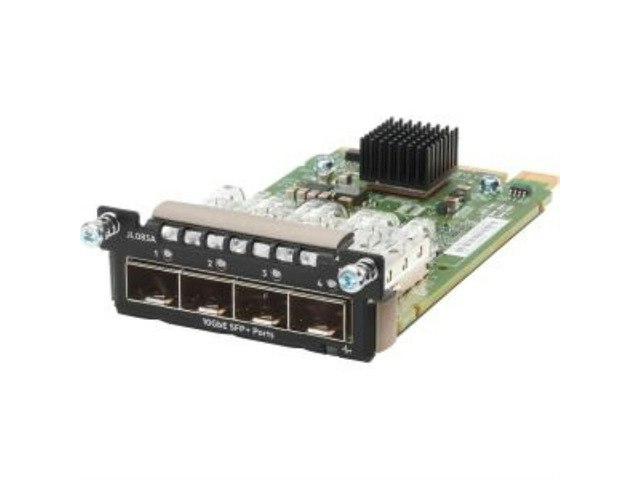
Worth a look for anyone running an Aruba 3810M switch and needing more fiber uplink capacity, since this module adds four 10GbE SFP+ ports without replacing the whole chassis. Buy Now at Newegg
Features
- 10 Gigabit Ethernet connectivity
- 4x SFP+ expansion slots
- Supports optical fiber networking
- High-speed data networking module
- Model: JL083A
Newegg · Verified 1 day ago
$34
more
↑ less
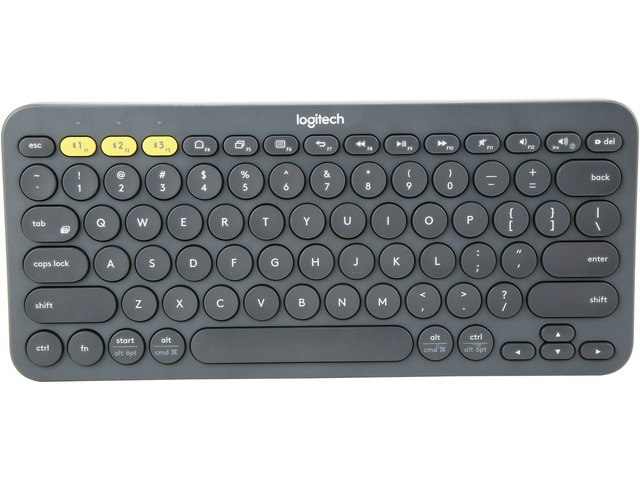
Pairing with three devices at once and switching between them with a single button makes this a solid pick for anyone splitting their day between a laptop, tablet, and phone. Buy Now at Newegg
Features
- Connect up to 3 devices with Easy-Switch
- Multi-platform compatibility across Windows, Mac, Chrome, iOS, Android
- Reliable 30-foot wireless Bluetooth range
- Portable compact design for multi-device workflows
- Model: K380
Newegg · Verified 1 day ago
$153
more
↑ less
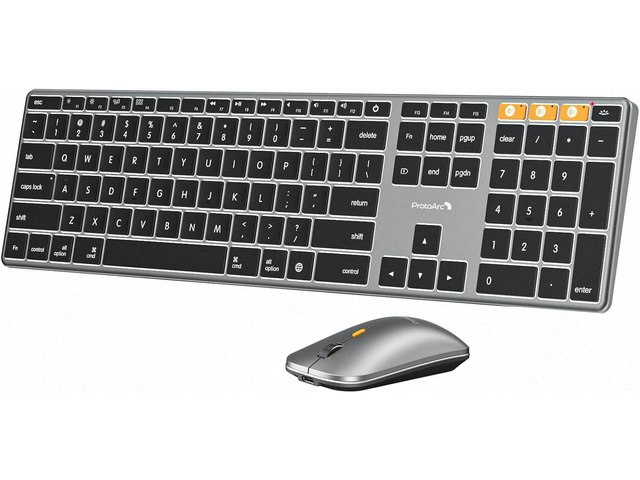
Mac users who juggle multiple devices will appreciate the dedicated Apple shortcut keys and backlighting for typing in dim rooms, plus Bluetooth switching between up to three paired devices. Buy Now at Newegg
Features
- Full size wireless aluminum keyboard and mouse
- Multi-device Bluetooth connectivity
- Rechargeable battery for long-lasting use
- Backlit keys for low light visibility
- Model: KM110-A
Newegg · Verified 1 day ago
$337
more
↑ less
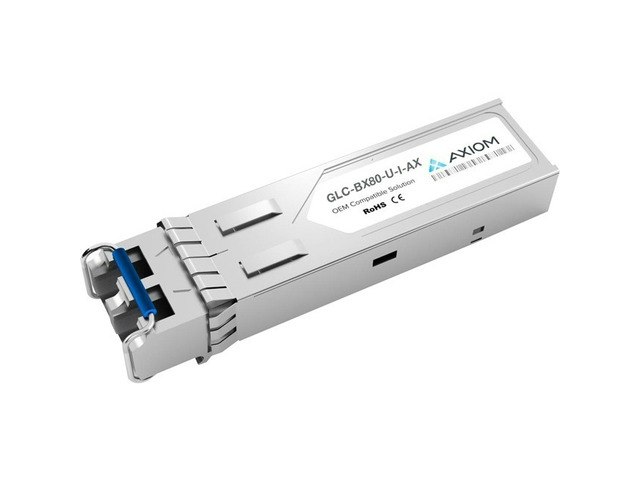
Anyone managing a long-haul fiber network with limited rack space will appreciate this transceiver's single-strand design, since it carries both transmit and receive signals over one fiber instead of two, cutting your cabling needs in half. It's built to work with Cisco hardware, so you can expand or repair a Cisco-based network without sourcing OEM parts directly from Cisco. Buy Now at Newegg
Features
- 1000BASE-BX80-U SFP module for Cisco
- Upstream connectivity for optical networks
- Single simplex fiber connection
- Optimized for high-speed data networking
Newegg · Verified 1 day ago
$83
more
↑ less
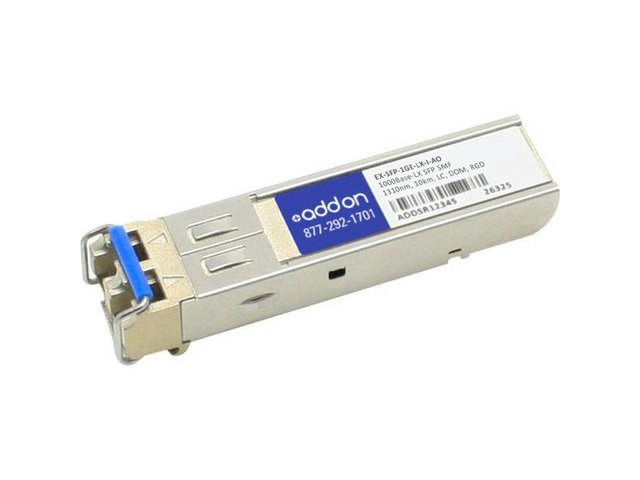
Network admins stocking spares or replacing a failed Juniper transceiver can use this to cover 1000Base-LX fiber links without paying Juniper's OEM pricing. Newegg has it as a direct compatible swap for the EX-SFP-1GE-LX-I, so compatibility isn't something you need to guess at. Buy Now at Newegg
Features
- 1000Base-LX SFP transceiver with 10km reach
- Supports industrial temperature range -40 to 85C
- Digital Optical Monitoring for real-time link diagnostics
- TAA compliant for government networking projects
- Compatible with Juniper Networks EX-SFP-1GE-LX-I
Newegg · Verified 1 day ago
$49
more
↑ less
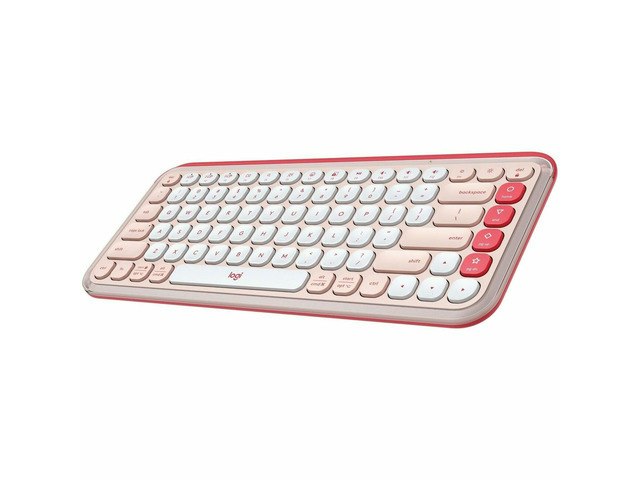
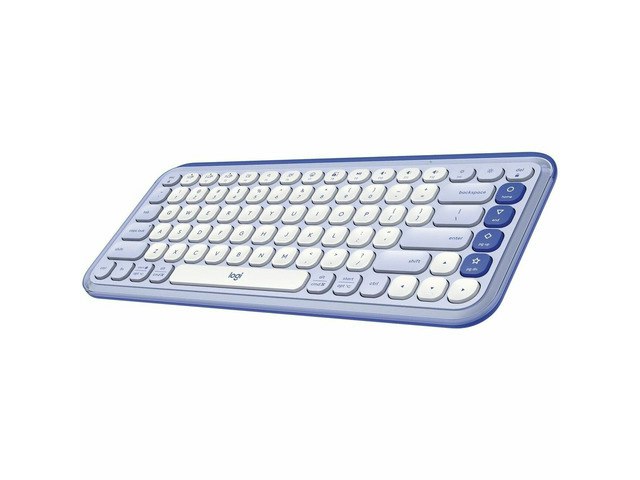
Anyone tired of a boring desk setup might appreciate the playful colorways and emoji keys on this one, and the compact layout works well if you're short on desk space. It pairs with up to three devices over Bluetooth, so switching between your laptop and tablet doesn't require re-pairing each time. Buy Now at Newegg
Features
- Comfortable typing experience
- Programmable shortcut keys
- Easy-Switch between 3 devices
- Wireless Bluetooth connectivity
- Model: 920-013049
Newegg · Verified 1 day ago
$47
more
↑ less
Typing all day gets a little nicer with the POP Icon's tactile round keys, and the compact wireless design suits anyone who switches between a laptop, tablet, and phone throughout the day. Buy Now at Newegg
Features
- Wireless Bluetooth connectivity
- Comfortable typing experience
- Customizable programmable action keys
- Easy-switch between three devices
- Model: 920-013050
Newegg · Verified 1 day ago
$9
more
↑ less
Worth grabbing if your router and device are too far apart for a standard cable or Wi-Fi keeps dropping in that spot, and the Cat6A rating means it can handle speeds well beyond what most home networks currently need. Buy Now at Newegg
Features
- 10Gbps data transfer speeds
- Pure bare copper conductors
- SlimRun snagless RJ45 connectors
- Lifetime warranty coverage
- Model: 144507
Newegg · Verified 1 day ago
$69
more
↑ less
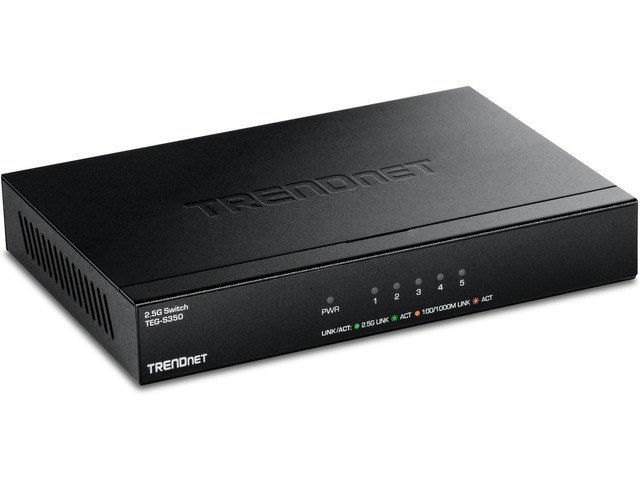
Setting up a faster home network without needing managed features makes sense with this switch, especially if you're connecting a gaming PC, NAS, or streaming box that supports 2.5G speeds. Newegg has it at a price that suits anyone looking to upgrade beyond standard gigabit without jumping to a full managed setup. Buy Now at Newegg
Features
- 5 x 2.5GBASE-T ports
- 25Gbps switching capacity
- Backwards compatible with 1000Mbps devices
- Fanless silent operation
- Model: TEG-S350
Computers: The Basics
Shopping for computers doesn’t have to drain your savings — if you know how to find the best prices. Our team of experts review the sales and publish the best computer deals so you don’t have to work half as hard.
How to Save on Streaming Services
Computers: The Basics
Shopping for computers doesn’t have to drain your savings — if you know how to find the best prices. Our team of experts review the sales and publish the best computer deals so you don’t have to work half as hard.
Basic Computer Terminology
You don’t have to be a tech wiz to buy your next computer. Make note of these common terms to help you when you’re shopping computer sales!
- Operating System (OS): This is the system that controls how your computer performs basic functions. The most common operating systems you’ll see right now are Windows 10 and Mac OS X. They perform comparably, so picking one relies on personal preference.
- Random-access memory (RAM): The short-term memory of your computer. Your RAM controls how quickly and efficiently your computer is able to switch between tasks. The higher the RAM, generally, the better the performance.
- Processor (CPU): The powerhouse or “brain” of the computer, your processor handles your computer’s basic instructions, such as using your mouse and keyboard, or running applications. The two most popular CPU manufacturers are AMD and Intel. You can read about which processor is right for you in this article from Digital Trends.
- Storage: There are two types of physical computer storage, hard drives (HD) and solid state drives (SSD). SSD storage is more common these days because they are more stable and faster. While it’s ideal to aim for greater storage space, a bigger drive will cost more money. Determine your storage needs based on how you plan to use your computer. Abt recommends starting with at least 500 GB of storage space.
Additionally, some providers, like Verizon, offer streaming perks with select plans, giving you months of access to services like Disney+, Hulu, and ESPN+ at no extra cost. Annual payment options can also help you save, as they often come with a discount equivalent to getting one or two months free. For those on a budget, ad-supported plans provide the same great content at a fraction of the cost. Visit our Disney+ Subscription Cost page to explore pricing and options.
What Deals Are Available on Disney+ Bundles?
Disney+ bundle deals provide significant savings when combining services. For example, the Verizon Disney Bundle offered six months of Disney+, Hulu, and ESPN+ for free with select Unlimited plans. Bundles like the Disney+ Premium annual plan ($159.99) save you the cost of two months compared to monthly payments. Bundle options like the ad-supported Duo Basic plan (Disney+ and Hulu) start at $10.99 per month, while ad-free Duo Premium is $19.99. Learn more on the Disney+ Bundle Deals page.
You can also explore seasonal and promotional deals during events like Black Friday to maximize your savings. Check out the Best Disney+ Deals page for current offers.
How Much Is a Disney+ Subscription?
Disney+ subscriptions currently start at $8 per month for the ad-supported Basic plan, while the Premium ad-free plan is priced at $13.99 per month or $139.99 annually. Prices will increase beginning October 17, 2024, with the Premium plan rising to $15.99 per month or $159.99 annually. Explore all pricing options on the Disney+ Subscription Costs page.
Best Disney+ Deals
Disney+ offers value-packed streaming bundles, such as the Disney+, Hulu, and Max bundle starting at $17 per month with ads or $30 per month ad-free. Disney+ also supports paid sharing, allowing you to add one extra member for $6.99 per month with Basic or $9.99 per month with Premium. Prices are increasing on October 17, 2024, so finding deals like these is more important than ever. For more information, visit our Best Disney+ Deals page.
Annual Disney+ Subscription Costs
Disney+ Premium annual plans cost $139.99 but will rise to $159.99 on October 17, 2024. Opting for the annual plan saves you the equivalent of two months compared to monthly billing. Note that annual payments are only available for standalone Disney+ Premium plans and not for bundles. Customize your subscription to include ad-supported or ad-free options with Hulu, ESPN+, or Max. See all pricing details on the Disney+ Subscription Cost page.
Basic Computer Terminology
You don’t have to be a tech wiz to buy your next computer. Make note of these common terms to help you when you’re shopping computer sales!
- Operating System (OS): This is the system that controls how your computer performs basic functions. The most common operating systems you’ll see right now are Windows 10 and Mac OS X. They perform comparably, so picking one relies on personal preference.
- Random-access memory (RAM): The short-term memory of your computer. Your RAM controls how quickly and efficiently your computer is able to switch between tasks. The higher the RAM, generally, the better the performance.
- Processor (CPU) : The powerhouse or “brain” of the computer, your processor handles your computer’s basic instructions, such as using your mouse and keyboard, or running applications. The two most popular CPU manufacturers are AMD and Intel. You can read about which processor is right for you in this article from Digital Trends.
- Storage: There are two types of physical computer storage, hard drives (HD) and solid state drives (SSD). SSD storage is more common these days because they are more stable and faster. While it’s ideal to aim for greater storage space, a bigger drive will cost more money. Determine your storage needs based on how you plan to use your computer. Abt recommends starting with at least 500 GB of storage space.
Basic Software for Your PC
When you start using your new computer, you’ll want to install some basic software to get going. Most pre-built computers come with a suite of software pre-installed with the OS.
Productivity Tools
Whether you opt for a package like Microsoft Office or iWork, opt for freeware like Open Office, or choose an online software pack like G Suite, it’s always a good idea to install a productivity software to help you with tasks like making spreadsheets, word processing, and viewing PDFs.
Internet Browser
Microsoft Edge and Safari are the standard browsers that come with a new computer, but many shoppers rely on browsers like Google Chrome or Mozilla Firefox.
Cloud Storage
Not only does cloud storage give you more space than the limited physical storage on your PC, but it also gives you access to your files anywhere. Many companies like Google or Dropbox offer a limited amount of free cloud storage.
Antivirus Software
Antivirus tools do more than simply keep viruses at bay; they also protect against malware, phishing, adware, spyware, and more. Windows 10 comes with Microsoft Security Essentials as a default, and security options are built into Mac OS X (as opposed to a standalone program). That said, antivirus suites like Norton, McAfee, and Bitdefender may offer you more protection.
Media Player
Many laptops and desktops no longer include a physical media drive. If you plan on watching any videos locally (not streamed online), it’s useful to have a media player. Typically, this software is built in, but check out this list for some info on the best media players for Windows 10 and this one for Mac.
Music Player
Not to be confused with a media player, a good music application is worth installing on your computer. Spotify, iTunes, and Pandora are some common favorites that give you access to a practically limitless selection. The desktop versions make it easier to browse and build playlists.
Computer Deal Subcategories
DealNews offers the best deals on computers and computing accessories. You can browse our deals in different categories including, but not limited to:
Whether you’re looking for a new work laptop, or want to find a quality gaming system, check out our selection of the best laptop deals here.
Did you know you should replace your computer every 4 to 5 years to keep up with the latest performance and security updates? Check out the best computer deals for your next desktop here.
Did you know that DealNews first launched as a deal website for Apple Macintosh products? While we’ve grown significantly since then, we still know how to find the best Apple computer deals!
Maybe you’re in the market for a larger streaming device for your kids, or maybe you’d like a device to serve as your e-reader (with a few extra perks). Whatever you’re searching for, check out the best tablet and iPad deals here.
- Peripherals
Routers , monitors , input devices , and more! These devices make using your computer more comfortable and practical. Be sure you search our site to save big!
When shopping computer sales, check out DealNews before going anywhere else, so you know you’ll always find the best deals!
Frequently Asked Questions
Should I purchase a laptop or desktop?
It’s important to review your needs before buying a laptop or desktop computer.
- What’s your budget? Because they’re bigger and more modular, desktop computers tend to outperform laptops. A desktop’s customizability means your budget can go a lot further. However, laptops have other advantages over desktops.
- Do you need portability? High-end laptops are generally more expensive, but a laptop will always win the portability debate.
- How much power do you need? Desktops have more room to work with, so you can add more RAM, more storage, a bigger graphics card, and other performance improvements. But if you don’t need all that, then a mid-tier laptop may be the cheaper choice.
- Are you a gamer? Laptops that are built for gaming are among the most expensive on the market. That said, if you’re not comfortable selecting individual pieces to build a gaming desktop, you may be willing to pay a premium to get that performance.
- Don’t forget the repairs. If you’re handy, you can often repair or replace parts in a desktop computer with the help of online guides. Most laptops require specialized tools and skills to repair, so desktop fixes tend to be cheaper.
Overall, desktop computers have a lot of advantages, but the lack of portability can be a deal breaker. No matter what you decide, be sure to check out specs and buying guides from the DealNews Blog and other reputable sources like CNET or PCMag. Then shop DealNews for the best computer deals!
How do I get my external hard drive to show up?
Once you’ve ensured that your external drive is plugged in and powered on, check out these steps from PCMag:
- Try a different USB port.
- Try a different PC.
- Update your drivers.
- Format the drive.
What is a VPN?
VPN stands for “virtual private network.” A VPN protects your internet usage by routing your internet connection through a private server. Using a VPN keeps your online browsing more private and also grants you access to websites and content that may not be available in your country.
For more information about VPNs, visit our NordVPN Free Trial Guide and our NordVPN Subscription Cost Page.
How can I boost my WiFi signal?
When your internet connection seems impossibly slow, the cause isn’t your provider, but your WiFi signal strength. Check out these options to boost your WiFi signal:
- Update your router firmware. Each router is different, but you can typically use the steps found here to run updates.
- Place your router in the most optimal space. You want to place your wireless router away from walls or obstructions. If possible, put it in the most central place in your home.
- Pick a different frequency. If you have a dual-band router, try using the 5GHz band. This band offers higher speeds and may get an additional boost if fewer devices are connected to it.
- Change the channel. While most routers will automatically choose the channel with the least congestion, some cheaper routers may require you to manually update it.
- Upgrade your router. How old is your current router? If it's a previous-generation 802.11b model, upgrading could improve your wireless signal. If you already have a newer 802.11n or Wi-Fi 6 router, you're in good shape.
- Replace the antenna. You may boost your signal by adding or replacing an external antenna. PCMag recommends purchasing one marked “high-gain” and opting for a directional antenna rather than an omnidirectional one.
- Add a wireless range extender. If you only want to boost coverage in one or two rooms, a WiFi extender can help you eliminate dead spots. Check out this guide from the DealNews Blog.
Switch to a mesh WiFi system. Wireless mesh networking is becoming more popular because it can provide more complete coverage throughout the home. Mesh systems replace your router and work seamlessly to eliminate coverage gaps.
By: Kristen Harris, Manager
A Georgia girl with three years of experience in IP Law and grounded in understanding marketing and consumer motives. When she's not working with the fabulous staff of DealNews, you can find her whining at rowing practice and browsing the Hot Deals on the site.
Want to know the moment we post a great deal on Computers?
Create an Alert