Newegg · Verified 1 day ago
$12
more
↑ less
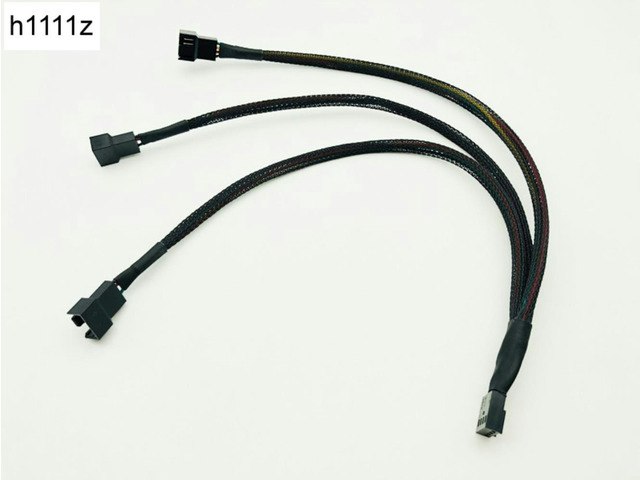
Three case fans plugging into one motherboard header is the main appeal, so it's worth grabbing if you're out of fan headers but still want every fan running off the same PWM speed curve. Buy Now at Newegg
Features
- 1-to-3 PWM fan splitter cable
- Connects three fans to one motherboard header
- Supports 3-pin and 4-pin PWM cooling fans
- Enables centralized fan speed control
- Optimizes airflow for PC cases and CPU coolers
Newegg · Verified 1 day ago
$81
more
↑ less
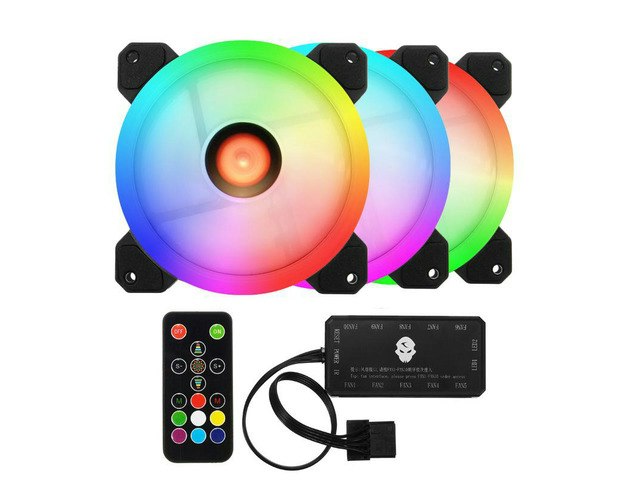
Keeping temperatures in check on a cramped build gets easier with a three-pack, since you can outfit an entire case without hunting for matching fans one at a time, and the RGB adds some visual flair if your setup has a side panel window. Buy Now at Newegg
Features
- 3x 120mm hybrid RGB cooling fans
- Adjustable RGB LED lighting effects
- Included remote control for lighting adjustments
- Quiet operation for high-performance cooling
- Universal compatibility for computer case and GPU cooling
Newegg · Verified 1 day ago
$80
more
↑ less
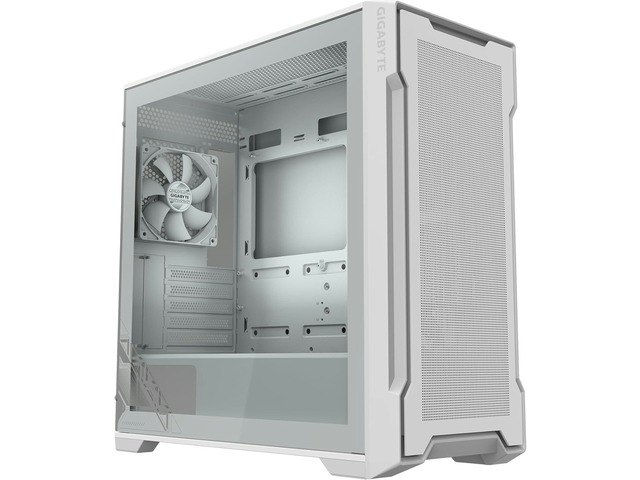
Anyone building a new rig will want their components on display, and the tempered glass side panel on this one shows off your build without needing a separate window kit. Newegg has it priced for budget-conscious builders who still want decent airflow and room to grow. Buy Now at Newegg
Features
- Tempered glass mid tower design
- Optimized bottom power supply mounting
- Includes four 140mm cooling fans
- Includes one 90mm cooling fan
- Includes one 80mm cooling fan
Newegg · Verified 1 day ago
$50
more
↑ less
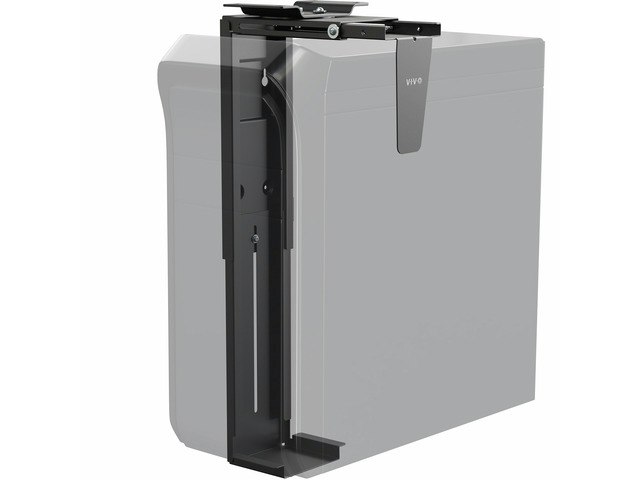
Mounting your PC under the desk or on the wall frees up floor and desktop space, which matters if you're working with a small footprint or just want cables and tower out of sight. It's a practical fix for anyone tired of kicking their computer case every time they roll their chair back. Buy Now at Newegg
Features
- Under-desk and wall mounting options
- Secure adjustable computer case holder
- 135-degree swivel for easy port access
- Space-saving design for organized workspaces
- Heavy-duty steel construction for durability
Newegg · Verified 1 day ago
$20
more
↑ less
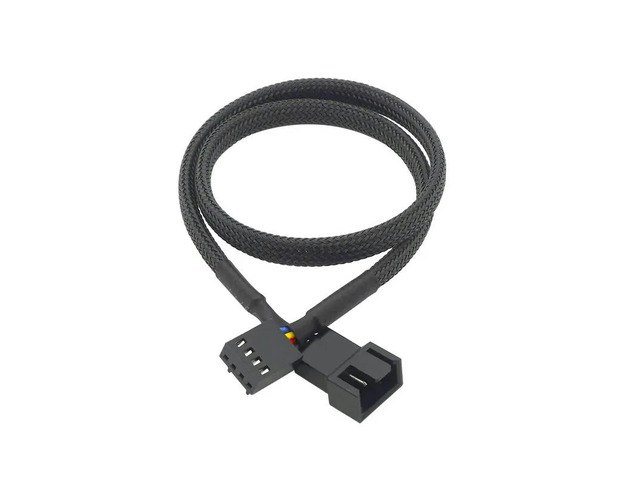
Sorting out a build with multiple fans or an awkward case layout gets easier with these, since they let you reach headers without having to buy a whole new fan just for the extra length. Buy Now at Newegg
Features
- 5-piece PWM 4-pin fan extension cable set
- Connects two fans to one motherboard header
- Standard 4-pin female to two 4-pin male connectors
Newegg · Verified 1 day ago
$26
more
↑ less
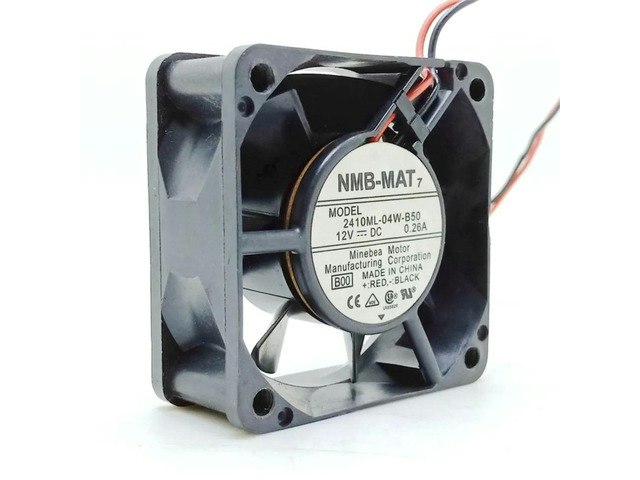
Your rig's small-form-factor builds or compact electronics enclosures could use this 60mm fan when airflow is tight and standard-sized fans won't fit, since it's built for spot cooling in confined spaces rather than full case ventilation. Buy Now at Newegg
Features
- 60x60x25mm standard form factor
- 12V DC power compatibility
- 0.26A power draw
- Model: 2410ML-04W-B50
Newegg · Verified 1 day ago
$60
more
↑ less
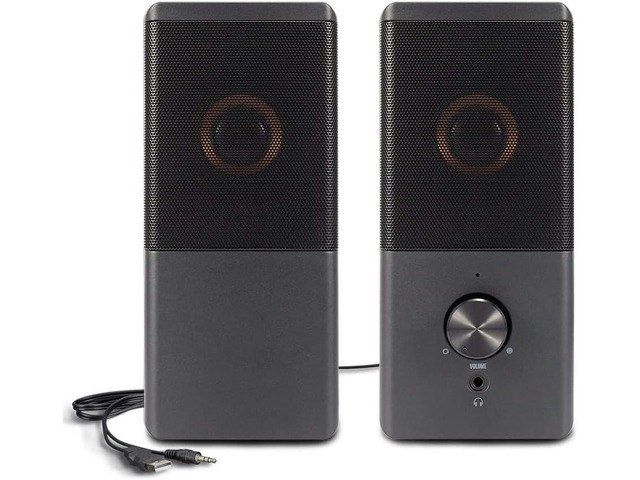
Desk setups with limited space benefit most from these, since they plug straight into a USB port without needing a separate power adapter or outlet. Buy Now at Newegg
Features
- Compact space-saving design
- Integrated headphone jack
- Enhanced bass performance
- Physical volume control
- USB-powered 3.5mm auxiliary connectivity
Newegg · Verified 1 day ago
$292
more
↑ less
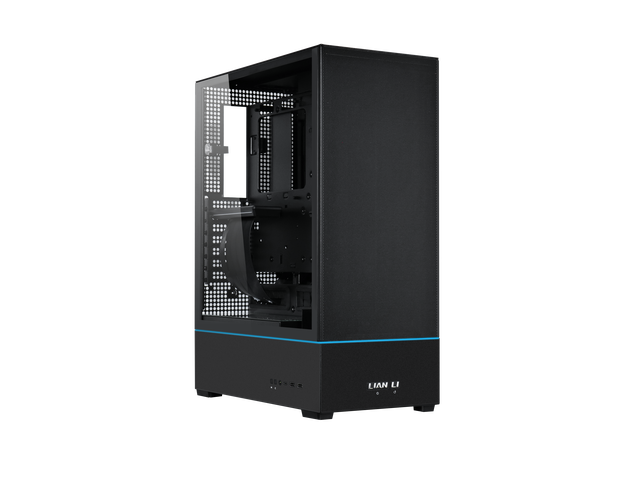
Dual-chamber cooling and clean cable routing make this a solid pick for anyone building a higher-end rig who wants airflow without sacrificing a tidy interior. Newegg's pricing makes it an easy case to justify if you're already spending on performance parts that benefit from good thermals. Buy Now at Newegg
Features
- ATX, Micro ATX, Mini-ITX motherboard compatibility
- Supports three 120mm fans
- Bottom PSU mount design
- Steel and tempered glass construction
- Model: SUP01X
Newegg · Verified 1 day ago
$60
more
↑ less
Desk setups running on a laptop or thin monitor often lack decent audio, and these plug straight into a USB port without needing a separate power cable or outlet nearby. Buy Now at Newegg
Features
- Compact size for space-saving placement
- Stereo 2.0 audio for immersive sound
- Enhanced bass output
- Convenient headphone jack
- USB-powered with 3.5mm aux connectivity
Newegg · Verified 1 day ago
$122
more
↑ less
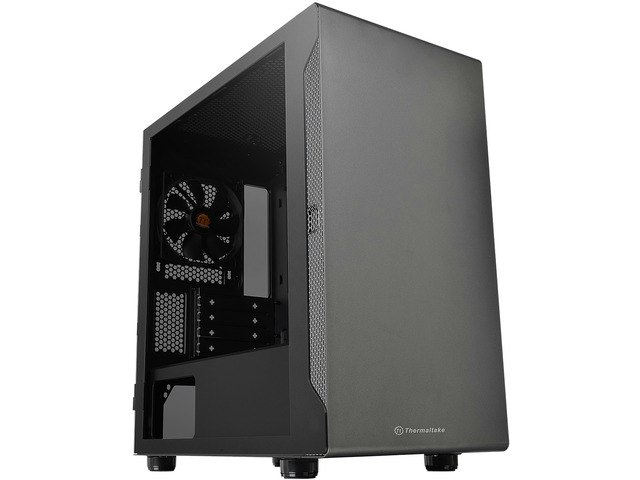
Anyone building a compact home or office PC will appreciate how much room this micro-ATX case offers for its size, with enough clearance for full-size GPUs and standard coolers despite the smaller footprint. Buy Now at Newegg
Features
- Tempered glass side panel
- Micro-ATX and Mini-ITX motherboard support
- Pre-installed 120mm rear fan
- USB 3.0 and USB 2.0 front ports
- Model: CA-1Q9-00S1WN-00
Newegg · Verified 1 day ago
$90
more
↑ less
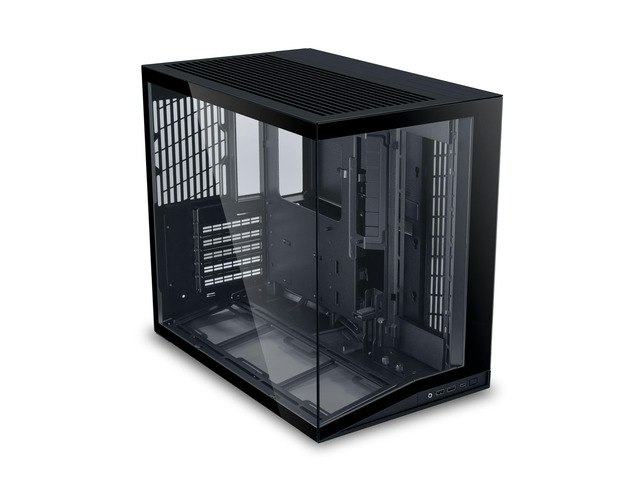
This case suits anyone building a smaller SGPC-style PC who still wants room for a full-size GPU and multiple radiators, thanks to the dual-chamber layout that separates your components from the power supply and cables. The panoramic glass panels also make it a solid pick if you want to actually show off the build once it's done. Buy Now at Newegg
Features
- Panoramic tempered glass views
- Adjustable I/O pillar-less design
- Fully ventilated airflow chassis
- Integrated cable management system
- Model: O11DMIV2X
Newegg · Verified 1 day ago
$66 $73
more
↑ less
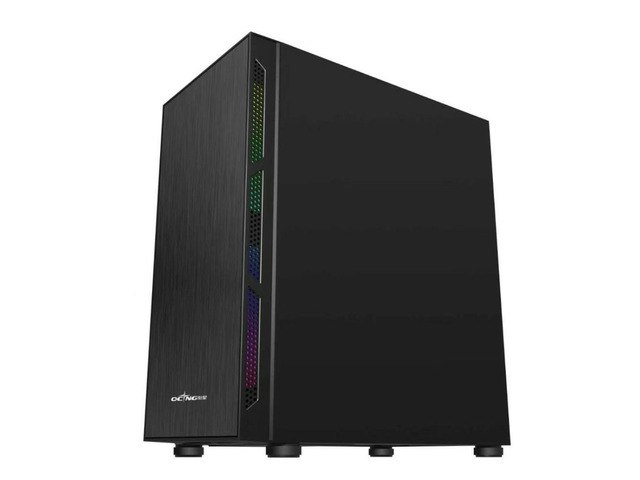
This case suits anyone building a compact PC who still wants room to work with full-size components, and at $65.69 it's $7.30 off the $72.99 list price from Newegg. Buy Now at Newegg
Features
- High airflow duct design for optimal cooling
- Micro ATX and Mini-ITX motherboard support
- Five 120mm fan mounting positions
- Compact Micro ATX mid tower form factor
- Durable black gaming chassis design
Newegg · Verified 1 day ago
$128 $160
more
↑ less
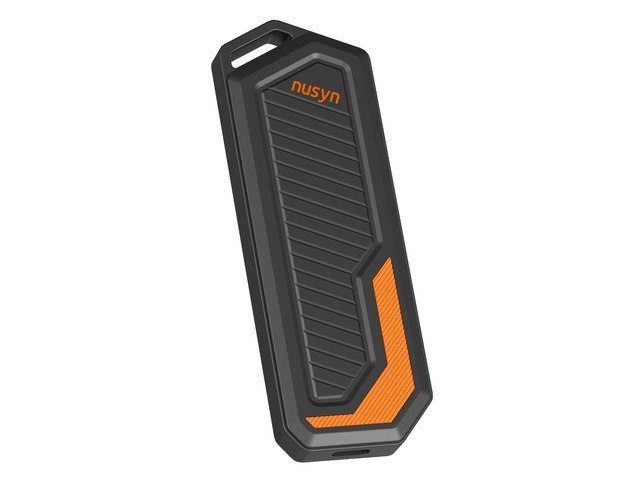
Good for backing up photos or moving large files between a laptop and desktop without relying on cloud storage, and Newegg has it at $128, a $32 drop from the usual $160. Buy Now at Newegg
Features
- 1050MB/s read and 900MB/s write speeds
- 1TB portable storage capacity
- USB 3.2 Gen 2 Type-C interface
- IP67 waterproof, dustproof, and shockproof rating
- Model: NSP35GR1T
Newegg · Verified 1 day ago
$259
more
↑ less
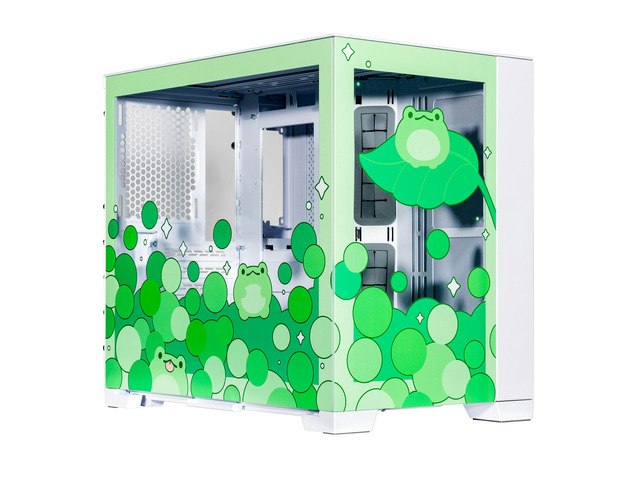
Space-conscious builders who still want room for full-sized GPUs and liquid cooling will appreciate the O11 Dynamic Mini's layout, and the mint green finish gives your rig a distinct look without resorting to RGB overload. Buy Now at Newegg
Features
- Aluminum tempered glass O11 Dynamic Mini chassis
- Supports Mini-ITX, Micro-ATX, and ATX motherboards
- Includes dust filters
- 3 expansion slots
- Supports three 120mm and two 140mm fans
Newegg · Verified 1 day ago
$50 $55
more
↑ less
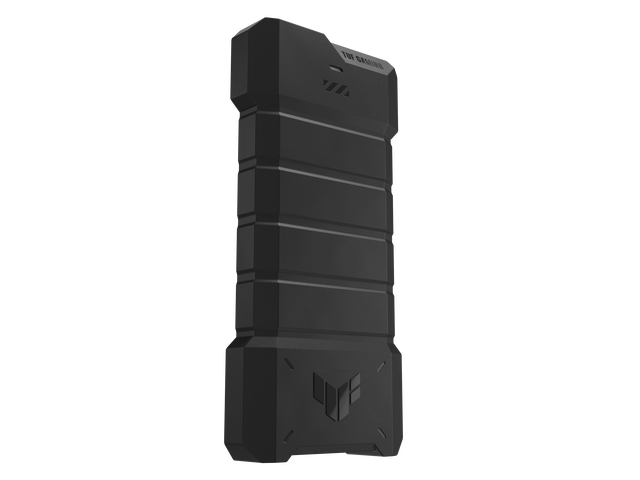
Handy for building a portable backup drive from a spare M.2 SSD, which suits anyone needing fast external storage for gaming or video work without buying a prebuilt drive, and right now Newegg has it $5 off the list price. Buy Now at Newegg
Features
- 20 Gbps USB 3.2 Gen 2x2 transfer speeds
- Supports up to 4TB M.2 NVMe SSD storage
- IP68 water and dust resistance
- MIL-STD-810H military-grade drop protection
- Model: 90DD02X0-B08000
Newegg · Verified 1 day ago
$246
more
↑ less
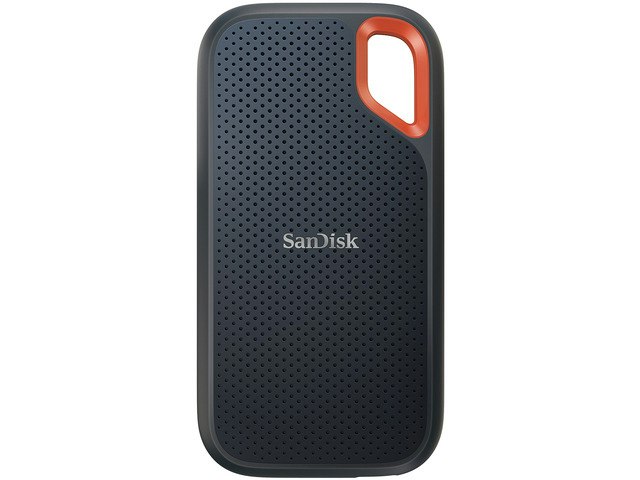
Your laptop's storage fills up fast if you shoot video or work with large files, and this drive's compact size and quick transfer speeds make it easy to toss in a bag without a second thought. Newegg has the 1TB version at a price that makes it worth grabbing as a backup drive even if you're not maxed out yet. Buy Now at Newegg
Features
- 1050MB/s read and 1000MB/s write speeds
- IP65 water and dust resistance
- Compact portable design
- USB-C and USB 3.2 Gen 2 connectivity
- Model: SDSSDE61-1T00-G25
Newegg · Verified 1 day ago
$241
more
↑ less
Your laptop's storage fills up fast if you shoot video or work with large files, and this drive's compact size and quick transfer speeds make it easy to toss in a bag without a second thought. Newegg has the 1TB version at a price that makes it worth grabbing as a backup drive even if you're not maxed out yet. Buy Now at Newegg
Features
- 1050MB/s read and 1000MB/s write speeds
- IP65 water and dust resistance
- Compact portable design
- USB-C and USB 3.2 Gen 2 connectivity
- Model: SDSSDE61-1T00-G25
Newegg · Verified 1 day ago
$254
more
↑ less
Your laptop's storage fills up fast if you shoot video or work with large files, and this drive's compact size and quick transfer speeds make it easy to toss in a bag without a second thought. Newegg has the 1TB version at a price that makes it worth grabbing as a backup drive even if you're not maxed out yet. Buy Now at Newegg
Features
- 1050MB/s read and 1000MB/s write speeds
- IP65 water and dust resistance
- Compact portable design
- USB-C and USB 3.2 Gen 2 connectivity
- Model: SDSSDE61-1T00-G25
Newegg · Verified 1 day ago
$61
more
↑ less
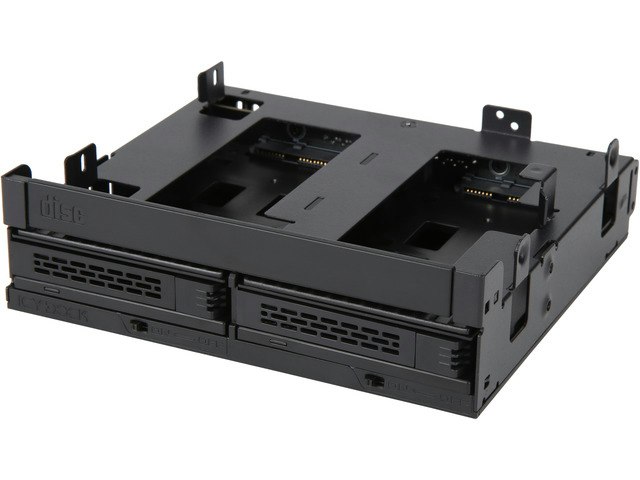
Anyone running a home server or workstation with limited drive bays can add hot-swappable storage without opening the case each time, since this cage lets you pull and swap 2.5-inch SAS or SATA drives from the front. It's a practical upgrade for backup rotations or RAID setups where you're regularly cycling drives in and out. Buy Now at Newegg
Features
- Supports 2 x 2.5 inch drives and 1 ODD
- Hot-swap drive support
- Fits standard 5.25 inch external drive bay
- Up to 6Gbps transfer speed
- Durable metal and plastic construction
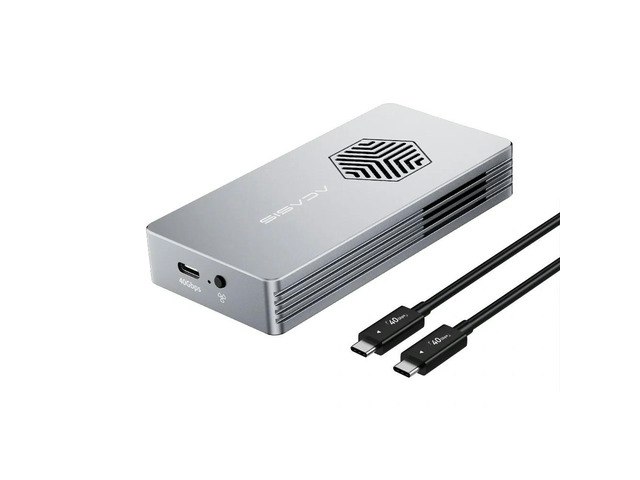
Newegg · Verified 1 day ago
$84 $99
more
↑ less
Handy for anyone shuffling large video or photo files between a laptop and desktop, since the 40Gbps Thunderbolt speed keeps transfers from becoming a bottleneck with NVMe drives; Newegg has it for $84.15, about $15 off the $99 list price. Buy Now at Newegg
Features
- 40Gbps data transfer speeds
- Active cooling fan for thermal management
- Thunderbolt 4, 3 and USB4 compatibility
- Supports up to 8TB SSD storage
- Durable aluminum and steel construction
Computers: The Basics
Shopping for computers doesn’t have to drain your savings — if you know how to find the best prices. Our team of experts review the sales and publish the best computer deals so you don’t have to work half as hard.
How to Save on Streaming Services
Computers: The Basics
Shopping for computers doesn’t have to drain your savings — if you know how to find the best prices. Our team of experts review the sales and publish the best computer deals so you don’t have to work half as hard.
Basic Computer Terminology
You don’t have to be a tech wiz to buy your next computer. Make note of these common terms to help you when you’re shopping computer sales!
- Operating System (OS): This is the system that controls how your computer performs basic functions. The most common operating systems you’ll see right now are Windows 10 and Mac OS X. They perform comparably, so picking one relies on personal preference.
- Random-access memory (RAM): The short-term memory of your computer. Your RAM controls how quickly and efficiently your computer is able to switch between tasks. The higher the RAM, generally, the better the performance.
- Processor (CPU): The powerhouse or “brain” of the computer, your processor handles your computer’s basic instructions, such as using your mouse and keyboard, or running applications. The two most popular CPU manufacturers are AMD and Intel. You can read about which processor is right for you in this article from Digital Trends.
- Storage: There are two types of physical computer storage, hard drives (HD) and solid state drives (SSD). SSD storage is more common these days because they are more stable and faster. While it’s ideal to aim for greater storage space, a bigger drive will cost more money. Determine your storage needs based on how you plan to use your computer. Abt recommends starting with at least 500 GB of storage space.
Additionally, some providers, like Verizon, offer streaming perks with select plans, giving you months of access to services like Disney+, Hulu, and ESPN+ at no extra cost. Annual payment options can also help you save, as they often come with a discount equivalent to getting one or two months free. For those on a budget, ad-supported plans provide the same great content at a fraction of the cost. Visit our Disney+ Subscription Cost page to explore pricing and options.
What Deals Are Available on Disney+ Bundles?
Disney+ bundle deals provide significant savings when combining services. For example, the Verizon Disney Bundle offered six months of Disney+, Hulu, and ESPN+ for free with select Unlimited plans. Bundles like the Disney+ Premium annual plan ($159.99) save you the cost of two months compared to monthly payments. Bundle options like the ad-supported Duo Basic plan (Disney+ and Hulu) start at $10.99 per month, while ad-free Duo Premium is $19.99. Learn more on the Disney+ Bundle Deals page.
You can also explore seasonal and promotional deals during events like Black Friday to maximize your savings. Check out the Best Disney+ Deals page for current offers.
How Much Is a Disney+ Subscription?
Disney+ subscriptions currently start at $8 per month for the ad-supported Basic plan, while the Premium ad-free plan is priced at $13.99 per month or $139.99 annually. Prices will increase beginning October 17, 2024, with the Premium plan rising to $15.99 per month or $159.99 annually. Explore all pricing options on the Disney+ Subscription Costs page.
Best Disney+ Deals
Disney+ offers value-packed streaming bundles, such as the Disney+, Hulu, and Max bundle starting at $17 per month with ads or $30 per month ad-free. Disney+ also supports paid sharing, allowing you to add one extra member for $6.99 per month with Basic or $9.99 per month with Premium. Prices are increasing on October 17, 2024, so finding deals like these is more important than ever. For more information, visit our Best Disney+ Deals page.
Annual Disney+ Subscription Costs
Disney+ Premium annual plans cost $139.99 but will rise to $159.99 on October 17, 2024. Opting for the annual plan saves you the equivalent of two months compared to monthly billing. Note that annual payments are only available for standalone Disney+ Premium plans and not for bundles. Customize your subscription to include ad-supported or ad-free options with Hulu, ESPN+, or Max. See all pricing details on the Disney+ Subscription Cost page.
Basic Computer Terminology
You don’t have to be a tech wiz to buy your next computer. Make note of these common terms to help you when you’re shopping computer sales!
- Operating System (OS): This is the system that controls how your computer performs basic functions. The most common operating systems you’ll see right now are Windows 10 and Mac OS X. They perform comparably, so picking one relies on personal preference.
- Random-access memory (RAM): The short-term memory of your computer. Your RAM controls how quickly and efficiently your computer is able to switch between tasks. The higher the RAM, generally, the better the performance.
- Processor (CPU) : The powerhouse or “brain” of the computer, your processor handles your computer’s basic instructions, such as using your mouse and keyboard, or running applications. The two most popular CPU manufacturers are AMD and Intel. You can read about which processor is right for you in this article from Digital Trends.
- Storage: There are two types of physical computer storage, hard drives (HD) and solid state drives (SSD). SSD storage is more common these days because they are more stable and faster. While it’s ideal to aim for greater storage space, a bigger drive will cost more money. Determine your storage needs based on how you plan to use your computer. Abt recommends starting with at least 500 GB of storage space.
Basic Software for Your PC
When you start using your new computer, you’ll want to install some basic software to get going. Most pre-built computers come with a suite of software pre-installed with the OS.
Productivity Tools
Whether you opt for a package like Microsoft Office or iWork, opt for freeware like Open Office, or choose an online software pack like G Suite, it’s always a good idea to install a productivity software to help you with tasks like making spreadsheets, word processing, and viewing PDFs.
Internet Browser
Microsoft Edge and Safari are the standard browsers that come with a new computer, but many shoppers rely on browsers like Google Chrome or Mozilla Firefox.
Cloud Storage
Not only does cloud storage give you more space than the limited physical storage on your PC, but it also gives you access to your files anywhere. Many companies like Google or Dropbox offer a limited amount of free cloud storage.
Antivirus Software
Antivirus tools do more than simply keep viruses at bay; they also protect against malware, phishing, adware, spyware, and more. Windows 10 comes with Microsoft Security Essentials as a default, and security options are built into Mac OS X (as opposed to a standalone program). That said, antivirus suites like Norton, McAfee, and Bitdefender may offer you more protection.
Media Player
Many laptops and desktops no longer include a physical media drive. If you plan on watching any videos locally (not streamed online), it’s useful to have a media player. Typically, this software is built in, but check out this list for some info on the best media players for Windows 10 and this one for Mac.
Music Player
Not to be confused with a media player, a good music application is worth installing on your computer. Spotify, iTunes, and Pandora are some common favorites that give you access to a practically limitless selection. The desktop versions make it easier to browse and build playlists.
Computer Deal Subcategories
DealNews offers the best deals on computers and computing accessories. You can browse our deals in different categories including, but not limited to:
Whether you’re looking for a new work laptop, or want to find a quality gaming system, check out our selection of the best laptop deals here.
Did you know you should replace your computer every 4 to 5 years to keep up with the latest performance and security updates? Check out the best computer deals for your next desktop here.
Did you know that DealNews first launched as a deal website for Apple Macintosh products? While we’ve grown significantly since then, we still know how to find the best Apple computer deals!
Maybe you’re in the market for a larger streaming device for your kids, or maybe you’d like a device to serve as your e-reader (with a few extra perks). Whatever you’re searching for, check out the best tablet and iPad deals here.
- Peripherals
Routers , monitors , input devices , and more! These devices make using your computer more comfortable and practical. Be sure you search our site to save big!
When shopping computer sales, check out DealNews before going anywhere else, so you know you’ll always find the best deals!
Frequently Asked Questions
Should I purchase a laptop or desktop?
It’s important to review your needs before buying a laptop or desktop computer.
- What’s your budget? Because they’re bigger and more modular, desktop computers tend to outperform laptops. A desktop’s customizability means your budget can go a lot further. However, laptops have other advantages over desktops.
- Do you need portability? High-end laptops are generally more expensive, but a laptop will always win the portability debate.
- How much power do you need? Desktops have more room to work with, so you can add more RAM, more storage, a bigger graphics card, and other performance improvements. But if you don’t need all that, then a mid-tier laptop may be the cheaper choice.
- Are you a gamer? Laptops that are built for gaming are among the most expensive on the market. That said, if you’re not comfortable selecting individual pieces to build a gaming desktop, you may be willing to pay a premium to get that performance.
- Don’t forget the repairs. If you’re handy, you can often repair or replace parts in a desktop computer with the help of online guides. Most laptops require specialized tools and skills to repair, so desktop fixes tend to be cheaper.
Overall, desktop computers have a lot of advantages, but the lack of portability can be a deal breaker. No matter what you decide, be sure to check out specs and buying guides from the DealNews Blog and other reputable sources like CNET or PCMag. Then shop DealNews for the best computer deals!
How do I get my external hard drive to show up?
Once you’ve ensured that your external drive is plugged in and powered on, check out these steps from PCMag:
- Try a different USB port.
- Try a different PC.
- Update your drivers.
- Format the drive.
What is a VPN?
VPN stands for “virtual private network.” A VPN protects your internet usage by routing your internet connection through a private server. Using a VPN keeps your online browsing more private and also grants you access to websites and content that may not be available in your country.
For more information about VPNs, visit our NordVPN Free Trial Guide and our NordVPN Subscription Cost Page.
How can I boost my WiFi signal?
When your internet connection seems impossibly slow, the cause isn’t your provider, but your WiFi signal strength. Check out these options to boost your WiFi signal:
- Update your router firmware. Each router is different, but you can typically use the steps found here to run updates.
- Place your router in the most optimal space. You want to place your wireless router away from walls or obstructions. If possible, put it in the most central place in your home.
- Pick a different frequency. If you have a dual-band router, try using the 5GHz band. This band offers higher speeds and may get an additional boost if fewer devices are connected to it.
- Change the channel. While most routers will automatically choose the channel with the least congestion, some cheaper routers may require you to manually update it.
- Upgrade your router. How old is your current router? If it's a previous-generation 802.11b model, upgrading could improve your wireless signal. If you already have a newer 802.11n or Wi-Fi 6 router, you're in good shape.
- Replace the antenna. You may boost your signal by adding or replacing an external antenna. PCMag recommends purchasing one marked “high-gain” and opting for a directional antenna rather than an omnidirectional one.
- Add a wireless range extender. If you only want to boost coverage in one or two rooms, a WiFi extender can help you eliminate dead spots. Check out this guide from the DealNews Blog.
Switch to a mesh WiFi system. Wireless mesh networking is becoming more popular because it can provide more complete coverage throughout the home. Mesh systems replace your router and work seamlessly to eliminate coverage gaps.
By: Kristen Harris, Manager
A Georgia girl with three years of experience in IP Law and grounded in understanding marketing and consumer motives. When she's not working with the fabulous staff of DealNews, you can find her whining at rowing practice and browsing the Hot Deals on the site.
Want to know the moment we post a great deal on Computers?
Create an Alert