Newegg · Verified 2 days ago
$650 $660
more
↑ less
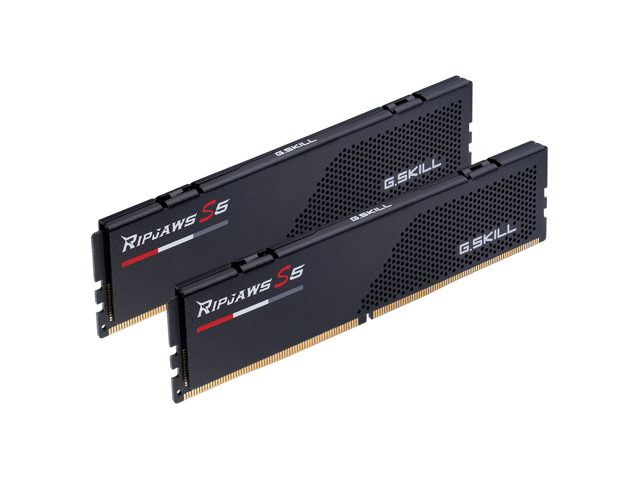
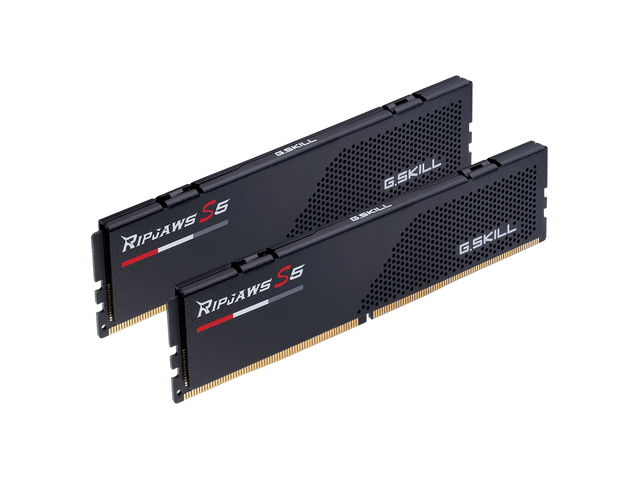
Built for gamers and PC builders running newer Intel or AMD platforms, 6000MHz DDR5 hits the sweet spot many boards are tuned for, and 32GB (2x16GB) covers most multitasking and gaming needs without overspending on capacity. At $649.99, that's just $10 off the $659.99 list price from Newegg. Buy Now at Newegg
Features
- 32GB DDR5 6000MHz dual channel kit
- Low latency CL32 performance
- Intel XMP 3.0 support
- Integrated aluminum heat spreader
- Model: F5-6000J3238F16GX2-RS5K
Newegg · Verified 2 days ago
$218
more
↑ less
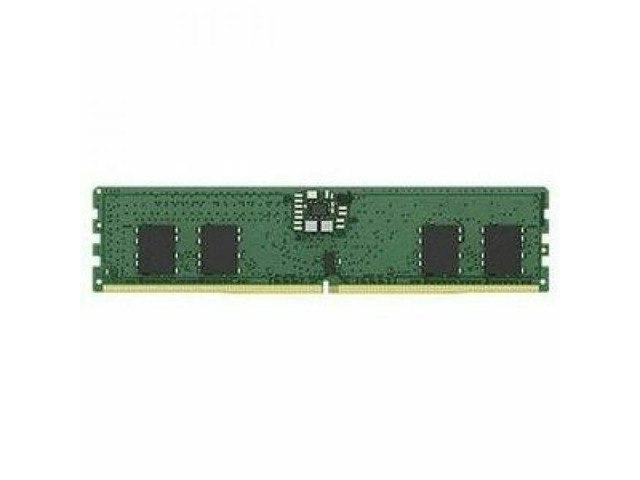
Your motherboard needs to support CUDIMM specifically for this to work, so check compatibility first, but if it does, you're getting memory speeds that standard DIMMs can't hit at 6400MT/s. It suits anyone building a newer desktop platform and wanting to push RAM performance without stepping up to a larger capacity kit. Buy Now at Newegg
Features
- 8GB DDR5 capacity
- 6400MT/s transfer speed
- Non-ECC memory
- CL52 latency
- CUDIMM desktop module
Newegg · Verified 2 days ago
$693 $710
more
↑ less
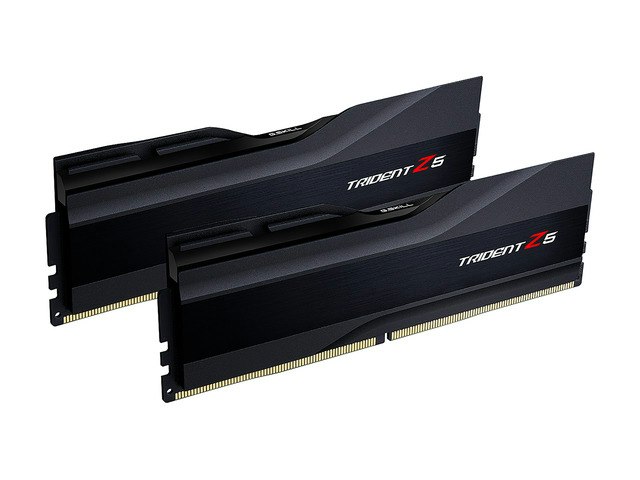
Builders running high-speed DDR5 platforms will want this for the 6000MHz rated speed, which hits the sweet spot many Intel and AMD boards are tuned for, and it's currently $17 off the $710 list price at Newegg. Buy Now at Newegg
Features
- 32GB DDR5 6000MHz high-speed memory
- Low CL30 latency for faster data access
- Intel XMP 3.0 support for easy overclocking
- Integrated heat spreader for optimal thermal performance
- Model: F5-6000J3040F16GX2-TZ5K
Newegg · Verified 2 days ago
$685 $700
more
↑ less
Builders running high-speed DDR5 platforms will appreciate the 6400MHz rating here, since it's tuned to pair well with current-gen Intel and AMD boards without manual tweaking. Newegg has it marked down just $15 from the $700 list price, so the discount itself is modest. Buy Now at Newegg
Features
- 32GB DDR5 6400MHz high-speed memory
- Low CL32 latency for faster data access
- Dual channel kit for optimized system performance
- Intel XMP 3.0 support for easy overclocking
- Model: F5-6400J3239G16GX2-RS5K
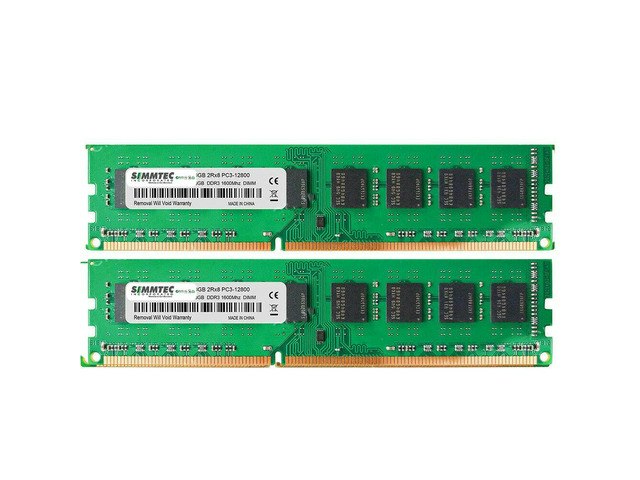
Newegg · Verified 2 days ago
$24
more
↑ less
Upgrading an older desktop that's stuck running sluggish with its stock RAM is a solid use case here, especially if your motherboard still relies on DDR3 at this speed. It's a good fit for budget builds or older systems where you need more memory without paying for DDR4 specs you can't even use. Buy Now at Newegg
Features
- 4GB total memory capacity
- DDR3 1333MHz memory speed
- PC3-10600 performance standard
- Non-ECC UDIMM desktop module
- Dual 2GB module configuration
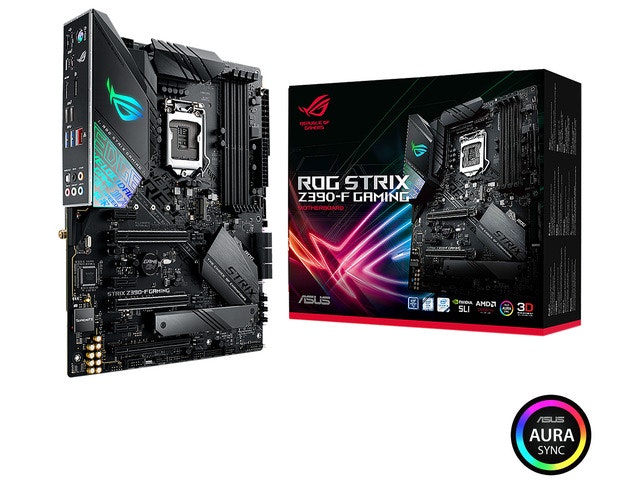
Newegg · Verified 2 days ago
$120
more
↑ less
Worth a look if you're building an Intel-based gaming rig and want solid VRM cooling and overclocking headroom without jumping to a pricier board, with Aura Sync RGB and dual M.2 slots covering most builders' needs. Buy Now at Newegg
Features
- LGA 1151 socket for Intel Z390 chipset
- Supports DDR4 memory up to 4266MHz
- ROG SupremeFX high definition audio
- 6 SATA 6Gb/s ports for storage
- Model: ROG Strix Z390-F Gaming
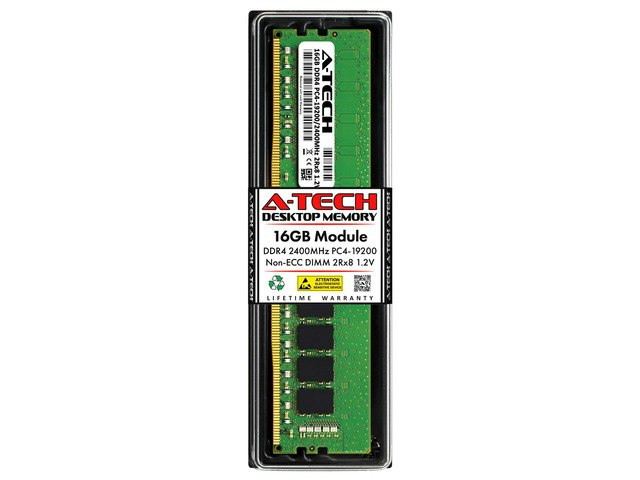
Newegg · Verified 2 days ago
$108
more
↑ less
Upgrading an older desktop that's bogging down with too many programs open is the main use case here, since 16GB at 2400MHz covers standard multitasking without overspending on speed you won't notice. Just double-check your motherboard supports DDR4 before ordering. Buy Now at Newegg
Features
- 16GB DDR4 2400MHz memory capacity
- Compatible with AMD and Intel processors
- Low 1.20V power consumption
- Unbuffered performance for desktop systems
- Model: KVR24N17D8/16
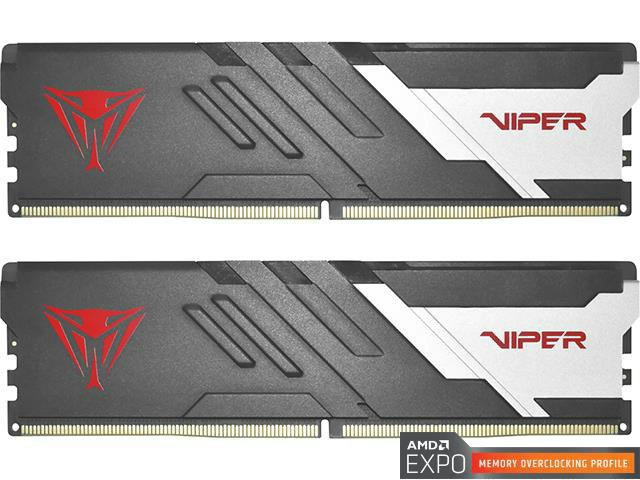
Newegg · Verified 2 days ago
$500 $520
more
↑ less
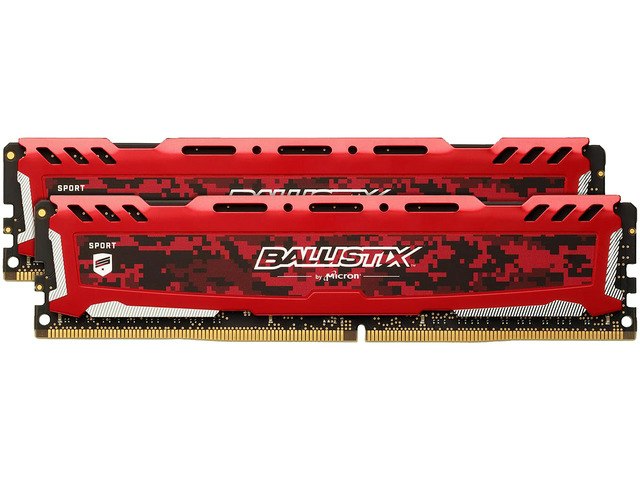
This 32GB kit suits anyone building or upgrading a DDR5 desktop who wants high-speed memory without juggling single sticks, and at $500 it's $20 off the $520 list price. Buy Now at Newegg
Features
- 32GB DDR5 6000MHz high-speed memory
- Optimized for AMD EXPO platforms
- Ultra-low CL28 latency for faster responsiveness
- Advanced 1.35V power-efficient design
- Model: VV532G60C28AK
Newegg · Verified 2 days ago
$118
more
↑ less
Worth a look if you're upgrading an aging desktop and need a straightforward 32GB boost without stepping into pricier high-speed kits, since DDR4 2400 covers most everyday and office workloads fine. Newegg's two-stick pack also keeps your dual-channel setup simple without having to buy modules separately. Buy Now at Newegg
Features
- 16GB DDR4 dual channel memory kit
- 16-16-16 CAS latency for fast performance
- 1.20V energy efficient operation
- Integrated heat spreader for thermal management
- Model: BLS2K8G4D240FSE
Newegg · Verified 2 days ago
$108
more
↑ less
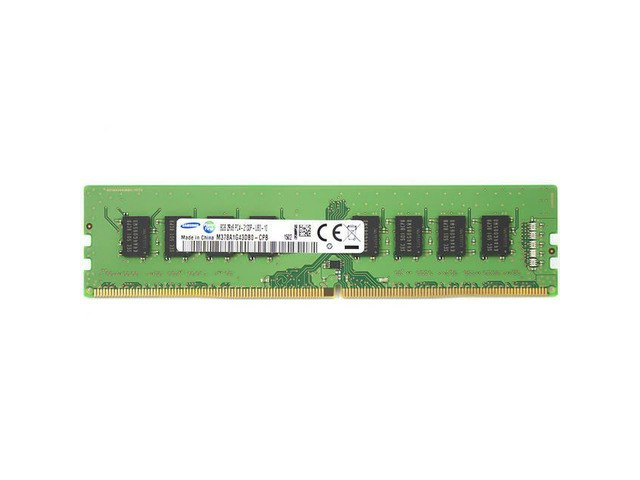
Upgrading an older Lenovo desktop is a straightforward way to extend its usable life, and this stick gives you a budget-friendly path to smoother multitasking without a full system replacement. Newegg has it listed for those who already know their machine supports DDR4 2400MHz and just need the right match. Buy Now at Newegg
Features
- 16GB DDR4 2400MHz memory capacity
- Compatible with AMD and Intel systems
- 1.20V energy efficient power consumption
- Unbuffered DIMM for reliable performance
- Model: 01AG806
Newegg · Verified 2 days ago
$61
more
↑ less
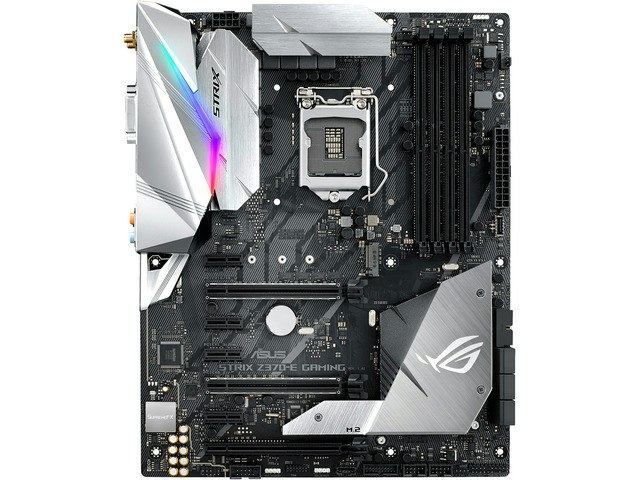
Desktop upgrades or budget PC builds are where this module makes sense, since it fills a standard DDR4 slot without pushing you toward premium pricing for speeds most everyday tasks won't fully use. Buy Now at Newegg
Features
- 8GB capacity
- DDR4-2133 speed
- CL15 CAS latency
Newegg · Verified 2 days ago
$136
more
↑ less
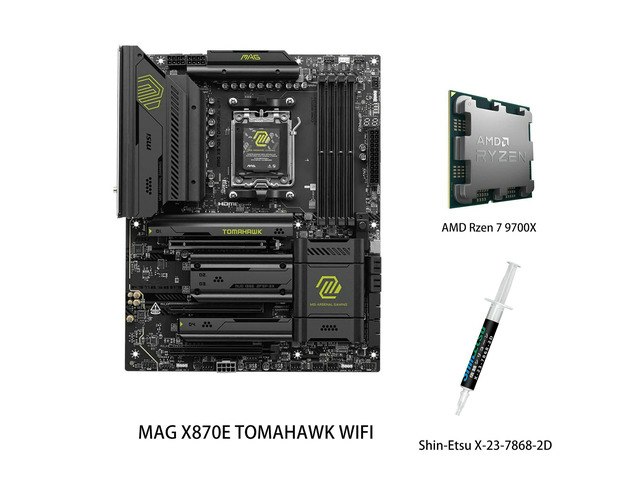
Builders working with 8th-gen Intel chips will find solid overclocking headroom here, plus Aura Sync RGB and dual M.2 slots for anyone planning multiple fast storage drives. Buy Now at Newegg
Features
- Intel Z370 chipset with LGA 1151 socket
- Supports DDR4 memory up to 4000MHz
- ROG SupremeFX S1220A high-definition audio
- 6x SATA 6Gb/s storage connectors
- ATX form factor
Newegg · Verified 2 days ago
$800
more
↑ less
This combo suits anyone building a new AM5 system from scratch, pairing a solid mid-range board with built-in WiFi and a capable Ryzen chip without the hassle of sourcing both parts separately. Buying them together through Newegg also tends to shake out cheaper than grabbing each component on its own. Buy Now at Newegg
Features
- AMD Ryzen 7 9700X CPU and X870E motherboard combo
- Supports DDR5 8400+ MT/s overclocking speeds
- Integrated Wi-Fi 7 and 5G LAN connectivity
- Supports AMD EXPO memory overclocking profiles
- Four DDR5 memory slots supporting 256GB capacity
Newegg · Verified 2 days ago
$570 $590
more
↑ less
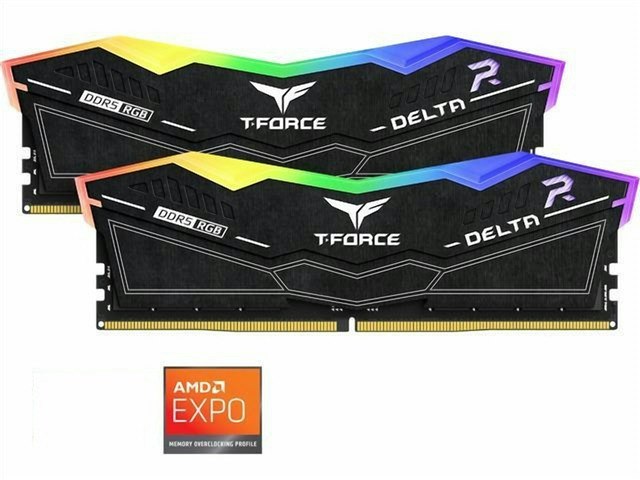
Builders who want synced RGB lighting without sacrificing speed will get solid performance from this 6400MHz kit, though at $20 off list, the discount here is modest. Buy Now at Newegg
Features
- 32GB DDR5 6400MHz dual channel memory
- Intel XMP 3.0 performance profile support
- Integrated RGB lighting with heat spreader
- CL40 latency for stable multitasking
- Model: FF3D532G6400HC40BDC01

Newegg · Verified 2 days ago
$159
more
↑ less
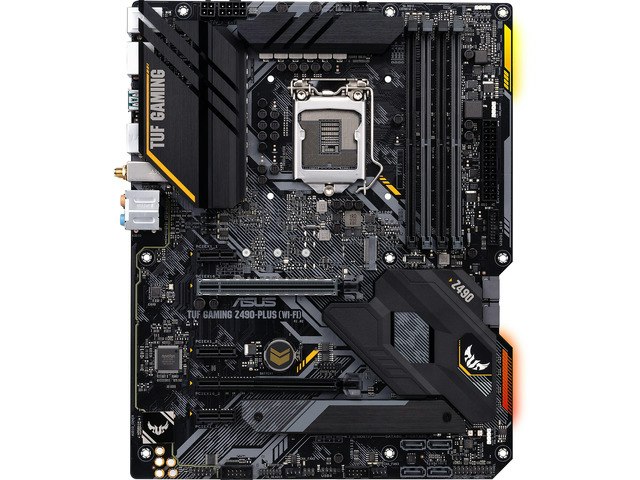
Worth a look if you're building an AMD Ryzen system and want PCIe 4.0 support without stepping up to a pricier board, since it covers the core features most gaming rigs actually need. Newegg's price makes it a reasonable mid-tier pick for anyone not chasing extreme overclocking headroom. Buy Now at Newegg
Features
- AMD X570 chipset for Ryzen processors
- 4 DDR4 DIMM memory slots
- 8 SATA3 6.0Gb/s connectors for storage
- ATX form factor for standard PC builds
- Model: X570 PHANTOM GAMING 4
Newegg · Verified 2 days ago
$138
more
↑ less
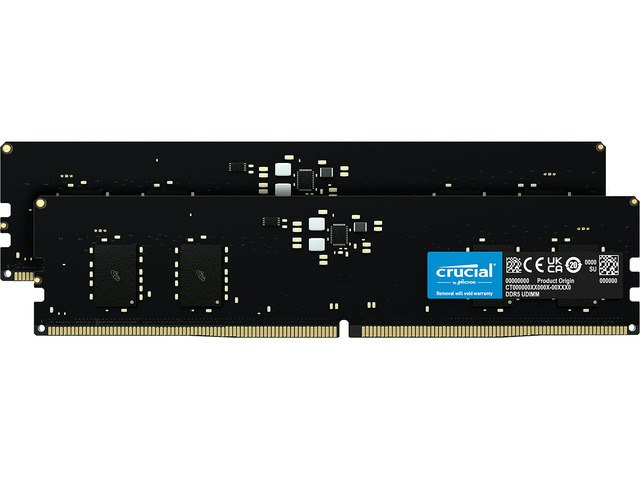
Built for overclockers running 10th-gen Intel chips, with military-grade components and reinforced slots that hold up under heavy GPU use and long-term wear. Buy Now at Newegg
Features
- Supports Intel 10th Gen LGA 1200 CPUs
- 12+2 power stages for stable overclocking
- Supports DDR4 4600MHz memory
- Integrated WiFi 6 and 1Gb LAN
- Model: TUF GAMING Z490-PLUS (WI-FI)
Newegg · Verified 2 days ago
$379
more
↑ less
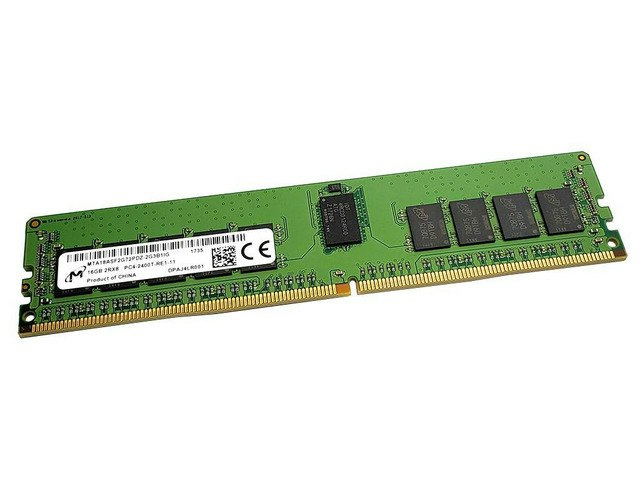
Worth a look if you're building or upgrading a desktop and want faster RAM without paying for premium RGB or heat spreaders, since this is a straightforward 2x8GB kit running at 5600MHz. Newegg's pricing makes it an easy way to bump a system from DDR5's baseline speeds without overspending. Buy Now at Newegg
Features
- 16GB DDR5 memory capacity
- 5600MT/s high-speed performance
- Optimized for Intel and AMD latest platforms
- Dual channel kit for improved efficiency
- Model: CT2K8G56C46U5
Newegg · Verified 2 days ago
$182
more
↑ less
Server builders and workstation users running ECC-compatible boards will want this for the error-correcting capability, which standard desktop RAM doesn't offer. It's a straightforward pick if you're expanding or upgrading a system that already requires registered ECC memory. Buy Now at Newegg
Features
- 16GB DDR4 memory capacity
- 2400MHz clock speed
- ECC error correction support
- Registered DIMM architecture
- Model: MTA18ASF2G72PDZ-2G3B1
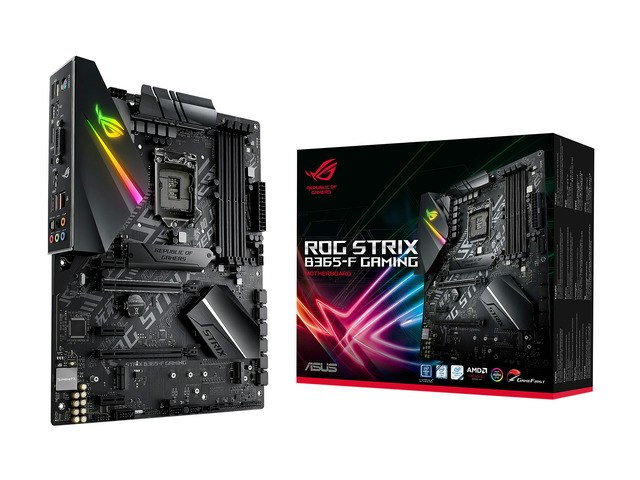
Newegg · Verified 2 days ago
$145
more
↑ less
Newegg has the Asus ROG Strix B365-F Gaming ATX Motherboard for builders who want RGB headers and solid VRM cooling without jumping up to a Z-series chipset, since B365 still covers 9th-gen Intel chips without the overclocking features most people never use anyway. Buy Now at Newegg
Features
- LGA 1151 socket for Intel 9th/8th Gen processors
- Aura Sync RGB lighting customization
- Four DDR4 memory slots supporting 2666MHz
- Dual M.2 slots for high-speed storage
- Model: ROG STRIX B365-F GAMING
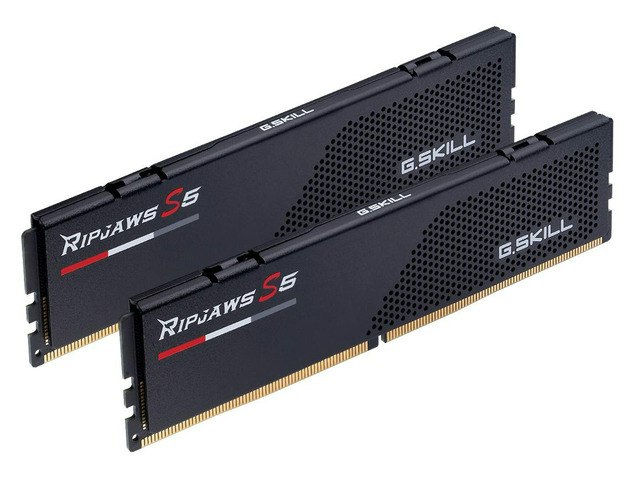
Newegg · Verified 2 days ago
$1,404.99
more
↑ less
Worth a look if you're building or upgrading a gaming or multitasking-heavy PC, since 64GB at 6000MHz gives you room for heavy multitasking, large creative files, or running several applications without slowdown. Newegg has this G.Skill Ripjaws S5 kit for builders who want reliable, high-capacity RAM without stepping into pricier specialty tiers. Buy Now at Newegg
Features
- 64GB DDR5 memory capacity
- 6000MHz memory speed
- Dual channel performance kit
- Desktop form factor
- Model: F5-6000J3040G32GX2-RS5K
Computers: The Basics
Shopping for computers doesn’t have to drain your savings — if you know how to find the best prices. Our team of experts review the sales and publish the best computer deals so you don’t have to work half as hard.
How to Save on Streaming Services
Computers: The Basics
Shopping for computers doesn’t have to drain your savings — if you know how to find the best prices. Our team of experts review the sales and publish the best computer deals so you don’t have to work half as hard.
Basic Computer Terminology
You don’t have to be a tech wiz to buy your next computer. Make note of these common terms to help you when you’re shopping computer sales!
- Operating System (OS): This is the system that controls how your computer performs basic functions. The most common operating systems you’ll see right now are Windows 10 and Mac OS X. They perform comparably, so picking one relies on personal preference.
- Random-access memory (RAM): The short-term memory of your computer. Your RAM controls how quickly and efficiently your computer is able to switch between tasks. The higher the RAM, generally, the better the performance.
- Processor (CPU): The powerhouse or “brain” of the computer, your processor handles your computer’s basic instructions, such as using your mouse and keyboard, or running applications. The two most popular CPU manufacturers are AMD and Intel. You can read about which processor is right for you in this article from Digital Trends.
- Storage: There are two types of physical computer storage, hard drives (HD) and solid state drives (SSD). SSD storage is more common these days because they are more stable and faster. While it’s ideal to aim for greater storage space, a bigger drive will cost more money. Determine your storage needs based on how you plan to use your computer. Abt recommends starting with at least 500 GB of storage space.
Additionally, some providers, like Verizon, offer streaming perks with select plans, giving you months of access to services like Disney+, Hulu, and ESPN+ at no extra cost. Annual payment options can also help you save, as they often come with a discount equivalent to getting one or two months free. For those on a budget, ad-supported plans provide the same great content at a fraction of the cost. Visit our Disney+ Subscription Cost page to explore pricing and options.
What Deals Are Available on Disney+ Bundles?
Disney+ bundle deals provide significant savings when combining services. For example, the Verizon Disney Bundle offered six months of Disney+, Hulu, and ESPN+ for free with select Unlimited plans. Bundles like the Disney+ Premium annual plan ($159.99) save you the cost of two months compared to monthly payments. Bundle options like the ad-supported Duo Basic plan (Disney+ and Hulu) start at $10.99 per month, while ad-free Duo Premium is $19.99. Learn more on the Disney+ Bundle Deals page.
You can also explore seasonal and promotional deals during events like Black Friday to maximize your savings. Check out the Best Disney+ Deals page for current offers.
How Much Is a Disney+ Subscription?
Disney+ subscriptions currently start at $8 per month for the ad-supported Basic plan, while the Premium ad-free plan is priced at $13.99 per month or $139.99 annually. Prices will increase beginning October 17, 2024, with the Premium plan rising to $15.99 per month or $159.99 annually. Explore all pricing options on the Disney+ Subscription Costs page.
Best Disney+ Deals
Disney+ offers value-packed streaming bundles, such as the Disney+, Hulu, and Max bundle starting at $17 per month with ads or $30 per month ad-free. Disney+ also supports paid sharing, allowing you to add one extra member for $6.99 per month with Basic or $9.99 per month with Premium. Prices are increasing on October 17, 2024, so finding deals like these is more important than ever. For more information, visit our Best Disney+ Deals page.
Annual Disney+ Subscription Costs
Disney+ Premium annual plans cost $139.99 but will rise to $159.99 on October 17, 2024. Opting for the annual plan saves you the equivalent of two months compared to monthly billing. Note that annual payments are only available for standalone Disney+ Premium plans and not for bundles. Customize your subscription to include ad-supported or ad-free options with Hulu, ESPN+, or Max. See all pricing details on the Disney+ Subscription Cost page.
Basic Computer Terminology
You don’t have to be a tech wiz to buy your next computer. Make note of these common terms to help you when you’re shopping computer sales!
- Operating System (OS): This is the system that controls how your computer performs basic functions. The most common operating systems you’ll see right now are Windows 10 and Mac OS X. They perform comparably, so picking one relies on personal preference.
- Random-access memory (RAM): The short-term memory of your computer. Your RAM controls how quickly and efficiently your computer is able to switch between tasks. The higher the RAM, generally, the better the performance.
- Processor (CPU) : The powerhouse or “brain” of the computer, your processor handles your computer’s basic instructions, such as using your mouse and keyboard, or running applications. The two most popular CPU manufacturers are AMD and Intel. You can read about which processor is right for you in this article from Digital Trends.
- Storage: There are two types of physical computer storage, hard drives (HD) and solid state drives (SSD). SSD storage is more common these days because they are more stable and faster. While it’s ideal to aim for greater storage space, a bigger drive will cost more money. Determine your storage needs based on how you plan to use your computer. Abt recommends starting with at least 500 GB of storage space.
Basic Software for Your PC
When you start using your new computer, you’ll want to install some basic software to get going. Most pre-built computers come with a suite of software pre-installed with the OS.
Productivity Tools
Whether you opt for a package like Microsoft Office or iWork, opt for freeware like Open Office, or choose an online software pack like G Suite, it’s always a good idea to install a productivity software to help you with tasks like making spreadsheets, word processing, and viewing PDFs.
Internet Browser
Microsoft Edge and Safari are the standard browsers that come with a new computer, but many shoppers rely on browsers like Google Chrome or Mozilla Firefox.
Cloud Storage
Not only does cloud storage give you more space than the limited physical storage on your PC, but it also gives you access to your files anywhere. Many companies like Google or Dropbox offer a limited amount of free cloud storage.
Antivirus Software
Antivirus tools do more than simply keep viruses at bay; they also protect against malware, phishing, adware, spyware, and more. Windows 10 comes with Microsoft Security Essentials as a default, and security options are built into Mac OS X (as opposed to a standalone program). That said, antivirus suites like Norton, McAfee, and Bitdefender may offer you more protection.
Media Player
Many laptops and desktops no longer include a physical media drive. If you plan on watching any videos locally (not streamed online), it’s useful to have a media player. Typically, this software is built in, but check out this list for some info on the best media players for Windows 10 and this one for Mac.
Music Player
Not to be confused with a media player, a good music application is worth installing on your computer. Spotify, iTunes, and Pandora are some common favorites that give you access to a practically limitless selection. The desktop versions make it easier to browse and build playlists.
Computer Deal Subcategories
DealNews offers the best deals on computers and computing accessories. You can browse our deals in different categories including, but not limited to:
Whether you’re looking for a new work laptop, or want to find a quality gaming system, check out our selection of the best laptop deals here.
Did you know you should replace your computer every 4 to 5 years to keep up with the latest performance and security updates? Check out the best computer deals for your next desktop here.
Did you know that DealNews first launched as a deal website for Apple Macintosh products? While we’ve grown significantly since then, we still know how to find the best Apple computer deals!
Maybe you’re in the market for a larger streaming device for your kids, or maybe you’d like a device to serve as your e-reader (with a few extra perks). Whatever you’re searching for, check out the best tablet and iPad deals here.
- Peripherals
Routers , monitors , input devices , and more! These devices make using your computer more comfortable and practical. Be sure you search our site to save big!
When shopping computer sales, check out DealNews before going anywhere else, so you know you’ll always find the best deals!
Frequently Asked Questions
Should I purchase a laptop or desktop?
It’s important to review your needs before buying a laptop or desktop computer.
- What’s your budget? Because they’re bigger and more modular, desktop computers tend to outperform laptops. A desktop’s customizability means your budget can go a lot further. However, laptops have other advantages over desktops.
- Do you need portability? High-end laptops are generally more expensive, but a laptop will always win the portability debate.
- How much power do you need? Desktops have more room to work with, so you can add more RAM, more storage, a bigger graphics card, and other performance improvements. But if you don’t need all that, then a mid-tier laptop may be the cheaper choice.
- Are you a gamer? Laptops that are built for gaming are among the most expensive on the market. That said, if you’re not comfortable selecting individual pieces to build a gaming desktop, you may be willing to pay a premium to get that performance.
- Don’t forget the repairs. If you’re handy, you can often repair or replace parts in a desktop computer with the help of online guides. Most laptops require specialized tools and skills to repair, so desktop fixes tend to be cheaper.
Overall, desktop computers have a lot of advantages, but the lack of portability can be a deal breaker. No matter what you decide, be sure to check out specs and buying guides from the DealNews Blog and other reputable sources like CNET or PCMag. Then shop DealNews for the best computer deals!
How do I get my external hard drive to show up?
Once you’ve ensured that your external drive is plugged in and powered on, check out these steps from PCMag:
- Try a different USB port.
- Try a different PC.
- Update your drivers.
- Format the drive.
What is a VPN?
VPN stands for “virtual private network.” A VPN protects your internet usage by routing your internet connection through a private server. Using a VPN keeps your online browsing more private and also grants you access to websites and content that may not be available in your country.
For more information about VPNs, visit our NordVPN Free Trial Guide and our NordVPN Subscription Cost Page.
How can I boost my WiFi signal?
When your internet connection seems impossibly slow, the cause isn’t your provider, but your WiFi signal strength. Check out these options to boost your WiFi signal:
- Update your router firmware. Each router is different, but you can typically use the steps found here to run updates.
- Place your router in the most optimal space. You want to place your wireless router away from walls or obstructions. If possible, put it in the most central place in your home.
- Pick a different frequency. If you have a dual-band router, try using the 5GHz band. This band offers higher speeds and may get an additional boost if fewer devices are connected to it.
- Change the channel. While most routers will automatically choose the channel with the least congestion, some cheaper routers may require you to manually update it.
- Upgrade your router. How old is your current router? If it's a previous-generation 802.11b model, upgrading could improve your wireless signal. If you already have a newer 802.11n or Wi-Fi 6 router, you're in good shape.
- Replace the antenna. You may boost your signal by adding or replacing an external antenna. PCMag recommends purchasing one marked “high-gain” and opting for a directional antenna rather than an omnidirectional one.
- Add a wireless range extender. If you only want to boost coverage in one or two rooms, a WiFi extender can help you eliminate dead spots. Check out this guide from the DealNews Blog.
Switch to a mesh WiFi system. Wireless mesh networking is becoming more popular because it can provide more complete coverage throughout the home. Mesh systems replace your router and work seamlessly to eliminate coverage gaps.
By: Kristen Harris, Manager
A Georgia girl with three years of experience in IP Law and grounded in understanding marketing and consumer motives. When she's not working with the fabulous staff of DealNews, you can find her whining at rowing practice and browsing the Hot Deals on the site.
Want to know the moment we post a great deal on Computers?
Create an Alert